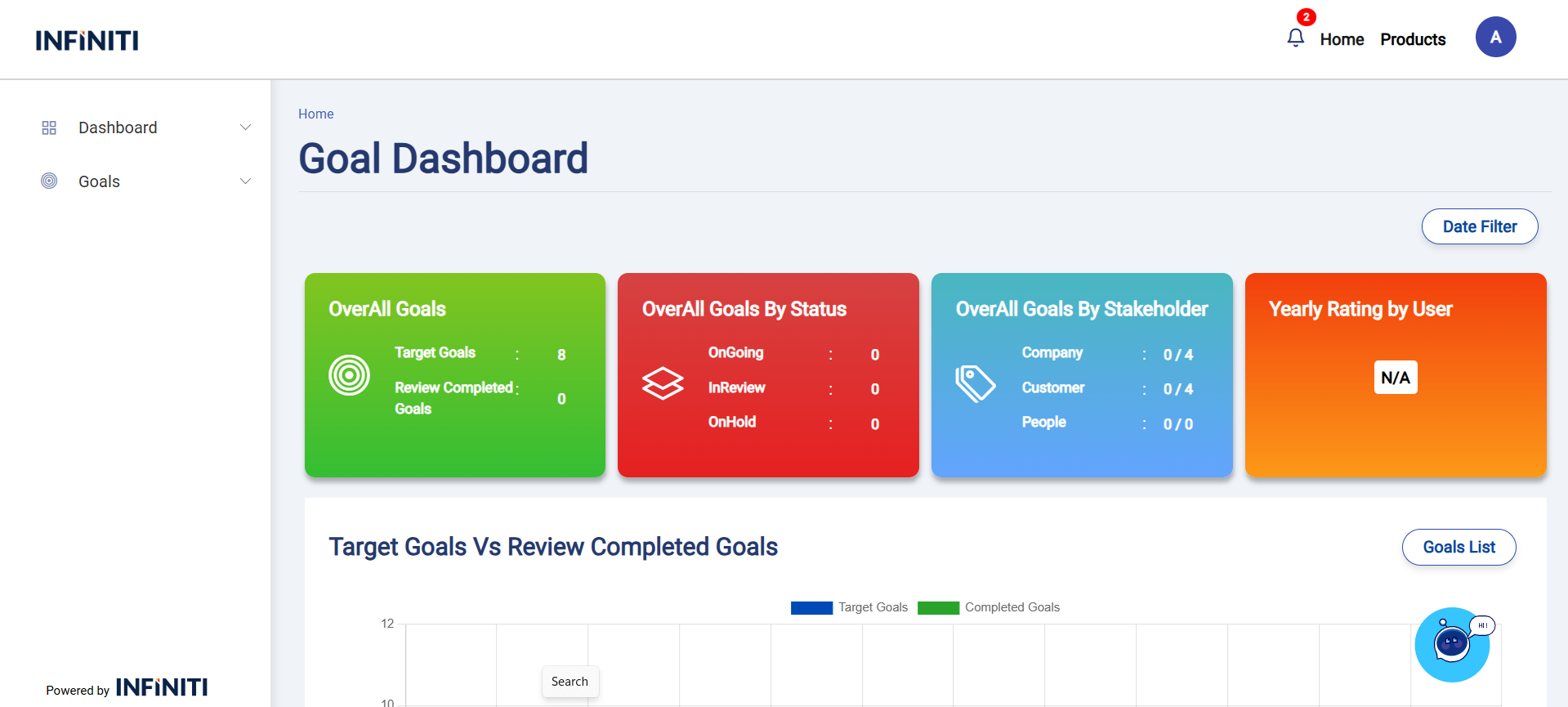
The Goal dashboard page shows the overall Goals details for the user. This page displays active Goals, highlighting those that are On Hold or In Progress, along with active goals, Ongoing Goals with their completion percentage, and incomplete goals with priority.
Functionality:
i. Goals overview:
This page retrieves and displays all the Goals and their details associated with the user, providing an overall view of the user’s OverAll Goals.
ii. Over All Goals card:
The Overall Goals card showcases the overall count of user’s Target Goals and Review Completed Goals.
iii. Over All Goals by Status card:
The Overall Goals by Status card highlights the goals Count showing the how many of Ongoing, In Review and On Hold. This helps users track progress and identify areas that may need attention.
iv. Over All Goals by Stakeholder card:
The Overall Goals by Stakeholder card presents the Stakeholder types. This allows users to see the count of completed goals / assigned goals and manage their workload effectively.
v. Yearly Rating by User card:
The Yearly Rating by User Card displays the overall Yearly rating to the User.
vi. Date Filter functionality:
Users can utilize the Date filter to find the range of Goals between the Date range.
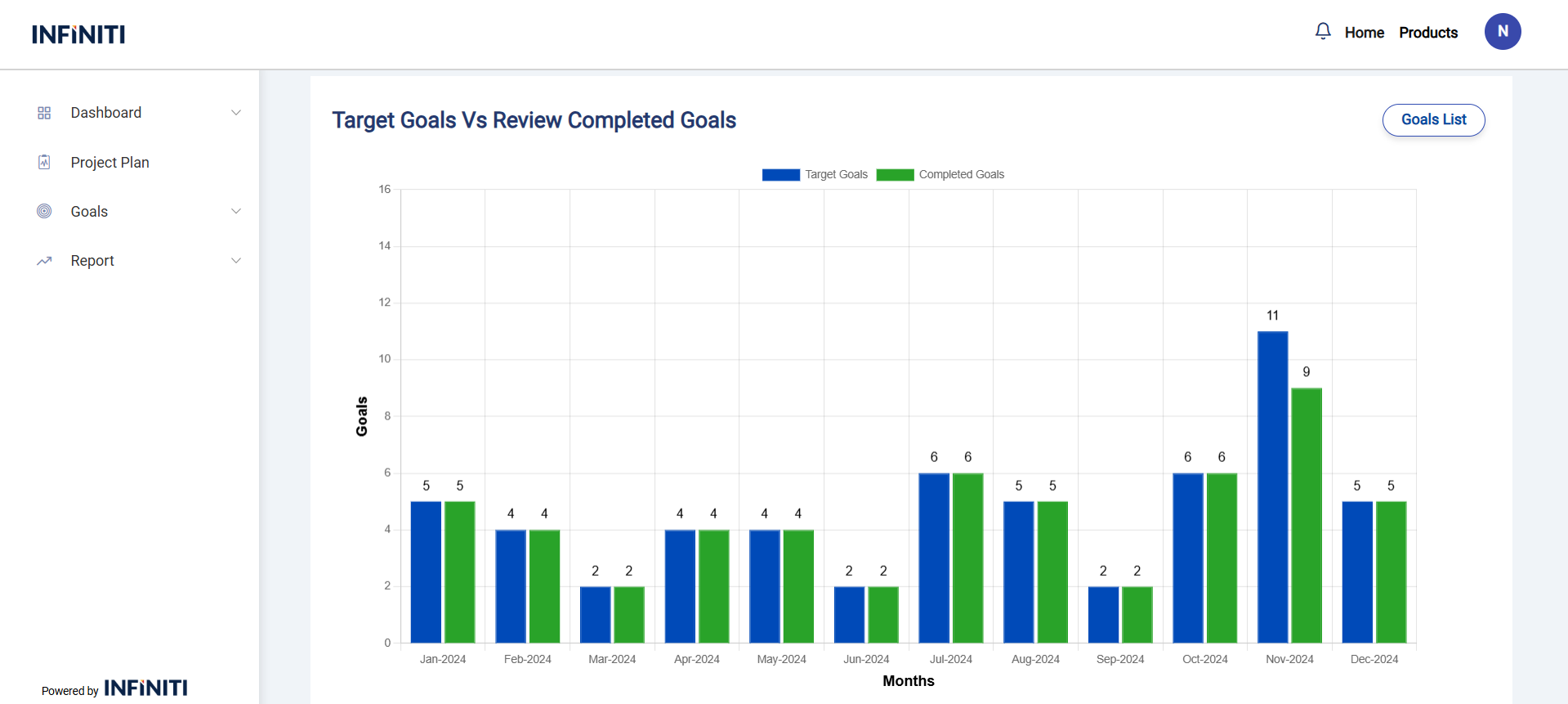
Target Goals Vs Review Completed Goals:
Displays the count of Target Goals and Completed by monthly.
Functionality:
i. Goals List Button:
“Goals List” button used to redirect into the Goals List Page to view all goals Details.
Ongoing Goals List:
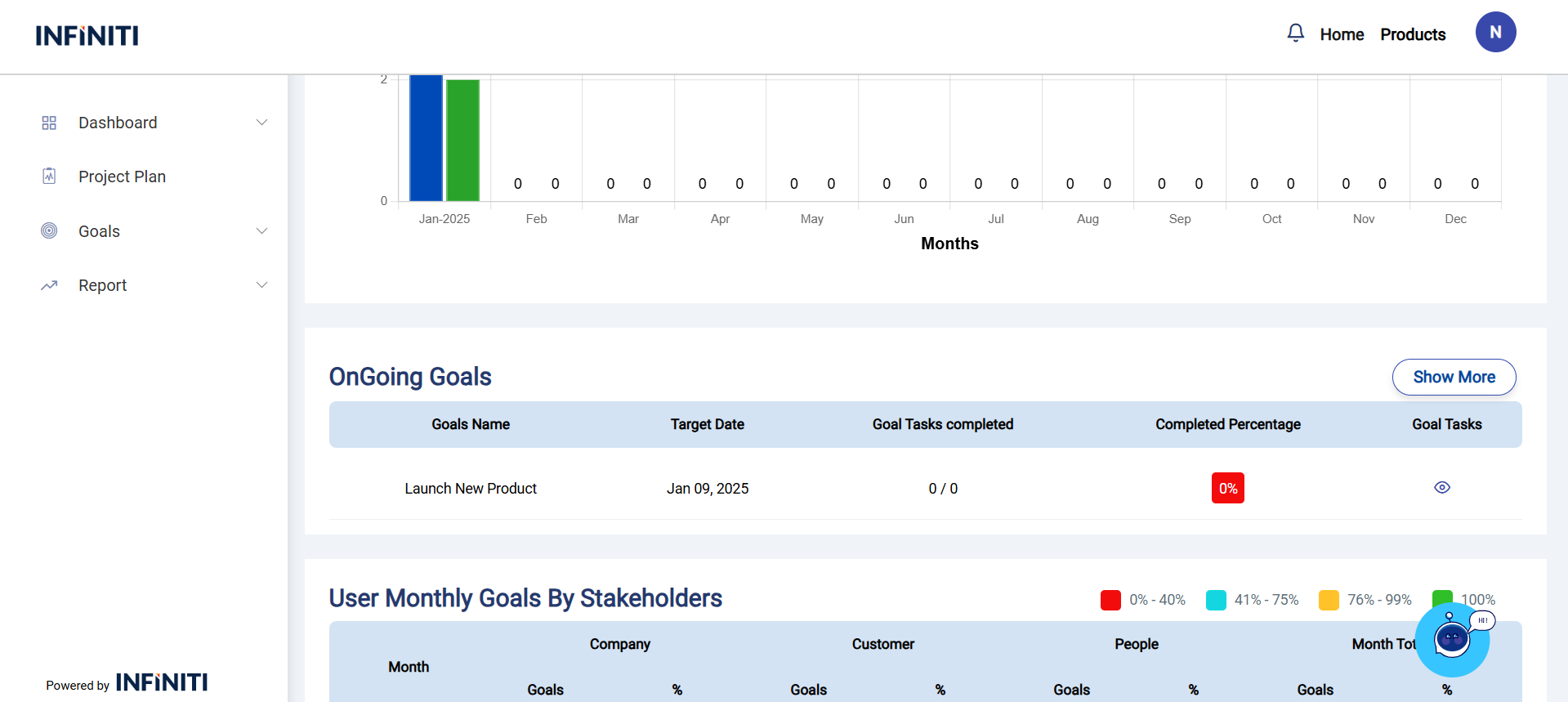
“Ongoing Goals List” used to displays the current ongoing goals, it shows only the first 5 records.
Functionality:
i. Show More Button:
“Show More” button used to redirect into the Goals List Page to view all Ongoing goals Details.
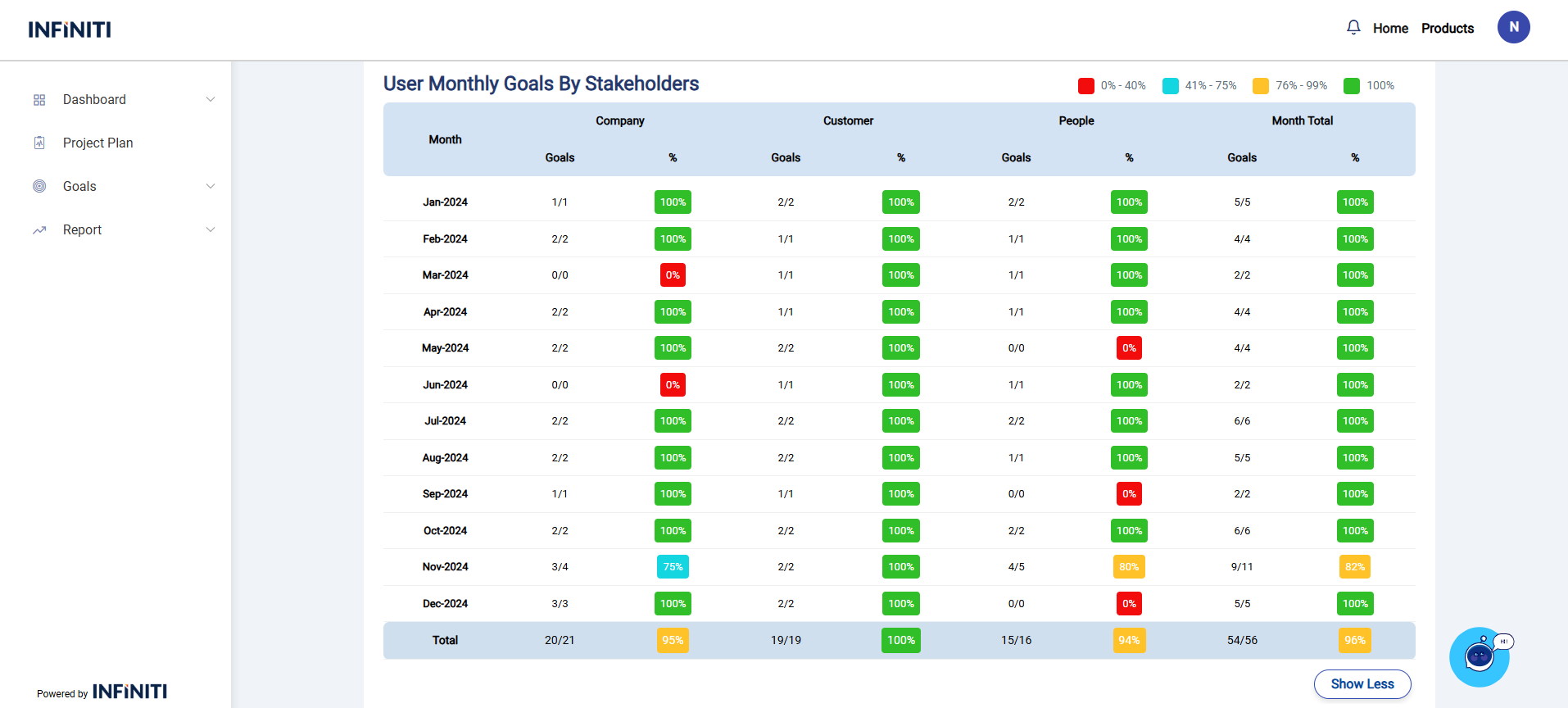
User Monthly Goals by Stakeholder:
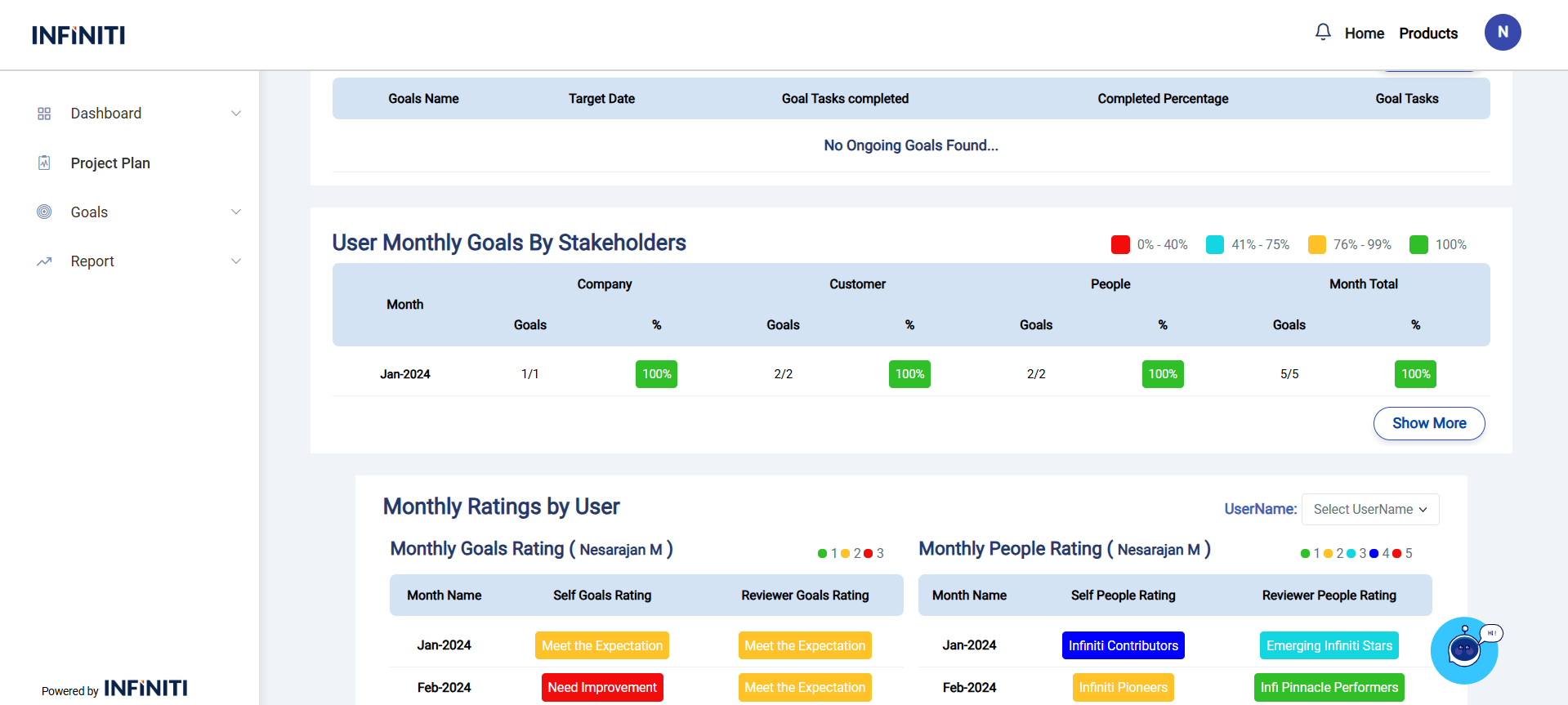
Displays the count of completed Goals / Target Goals by Stakeholder wise.
You can check your Total goals, one is overall total goals stakeholder wise and another one is monthly total goals.
Functionality:
i. Show More Button:
“Show More” button used to expand the rows in the table.
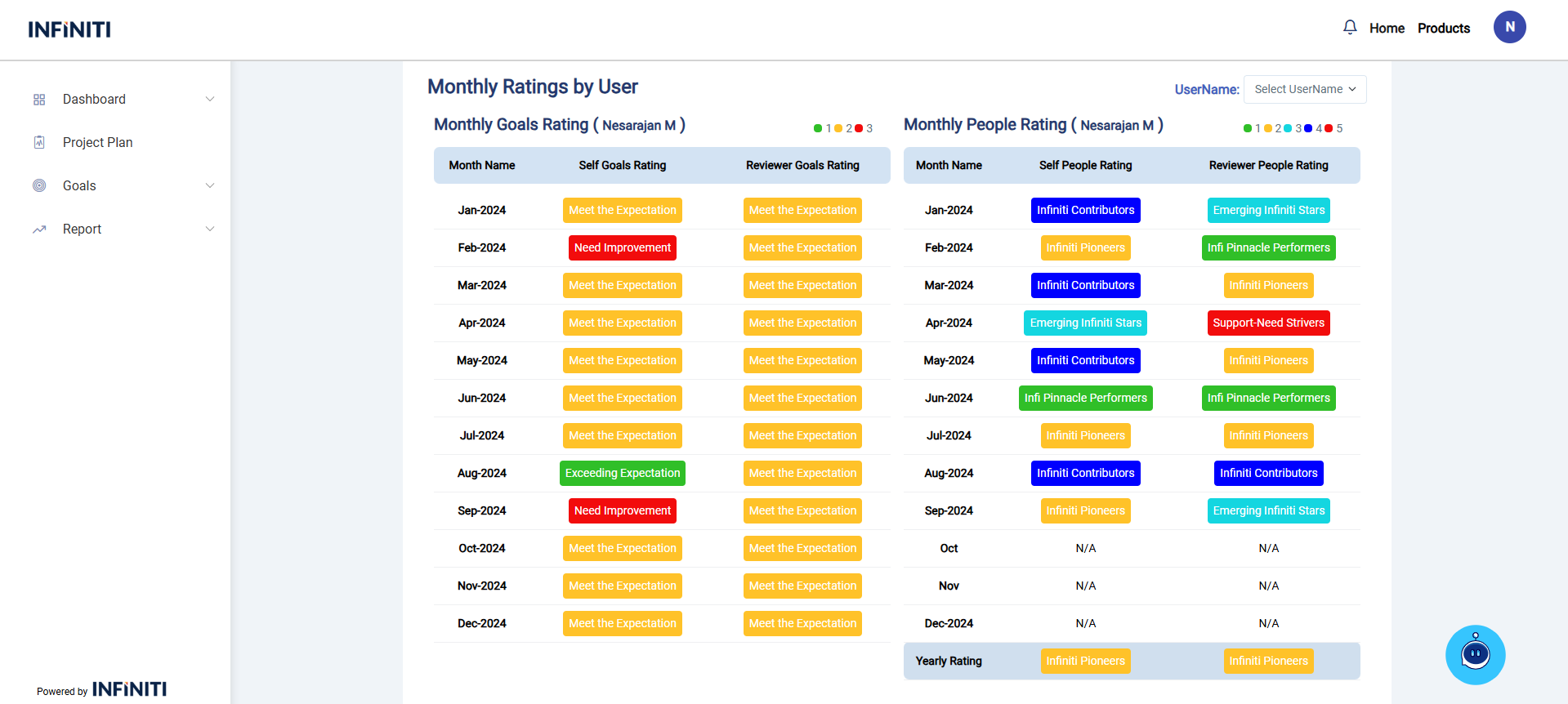
Monthly Ratings by User:
i. Monthly Goals Rating:
you can displays the Self Goals Rating and Reviewer Goals Rating by Monthly wise.
ii. Monthly People Rating:
you can displays the Self Goals Rating and Reviewer Goals Rating by Monthly wise.
Also displays the Yearly People Rating of the user.
The Manager can also view the users Monthly Ratings records who’s are comes under their Team.
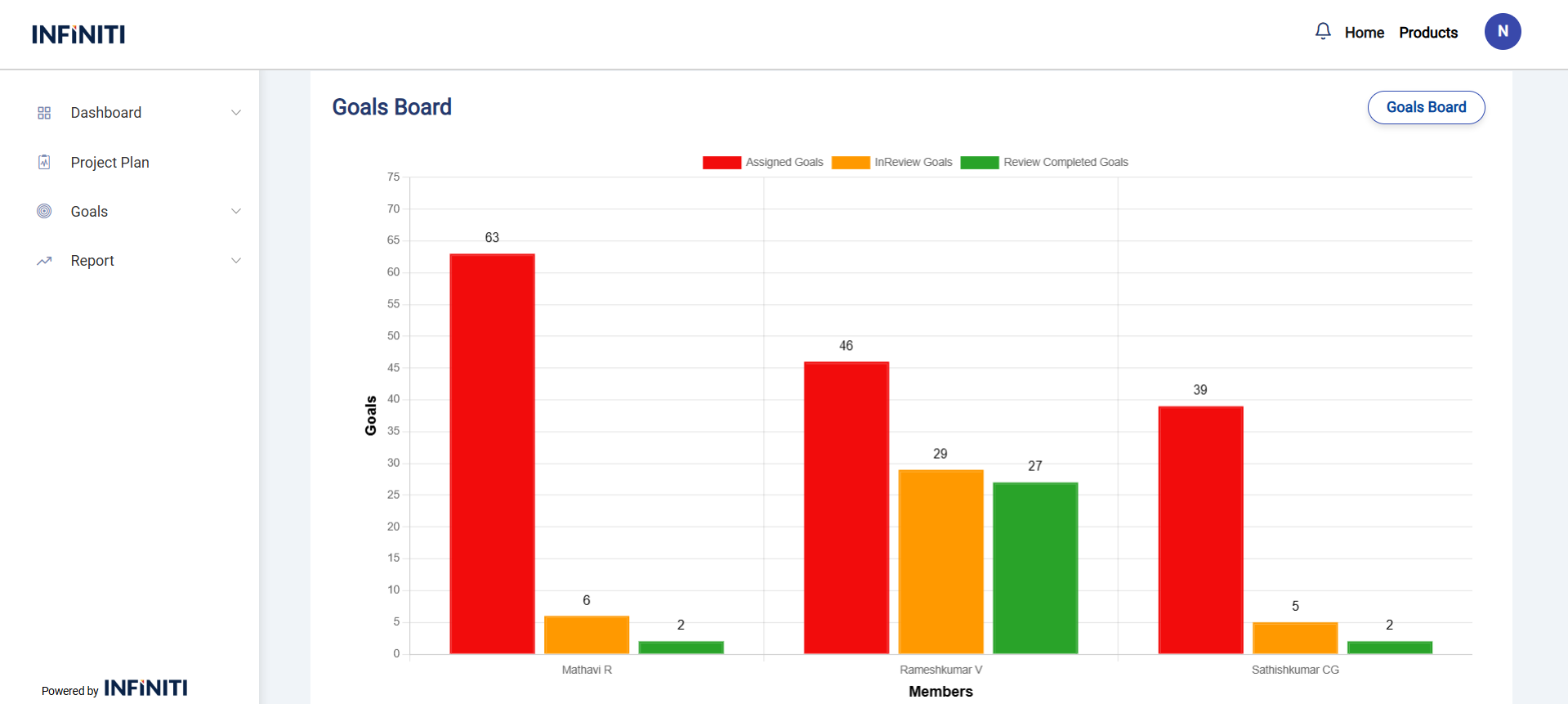
Goals Board:
Displays the employees Assigned Goals, In Review Goals, Review Completed Goals in the bar chart view who are comes under the Manager.
Functionality:
i. Goals Board Button:
“Goals Board Button” used to redirect to the Goals Board page for give your Goals Rating and People Rating to the user.
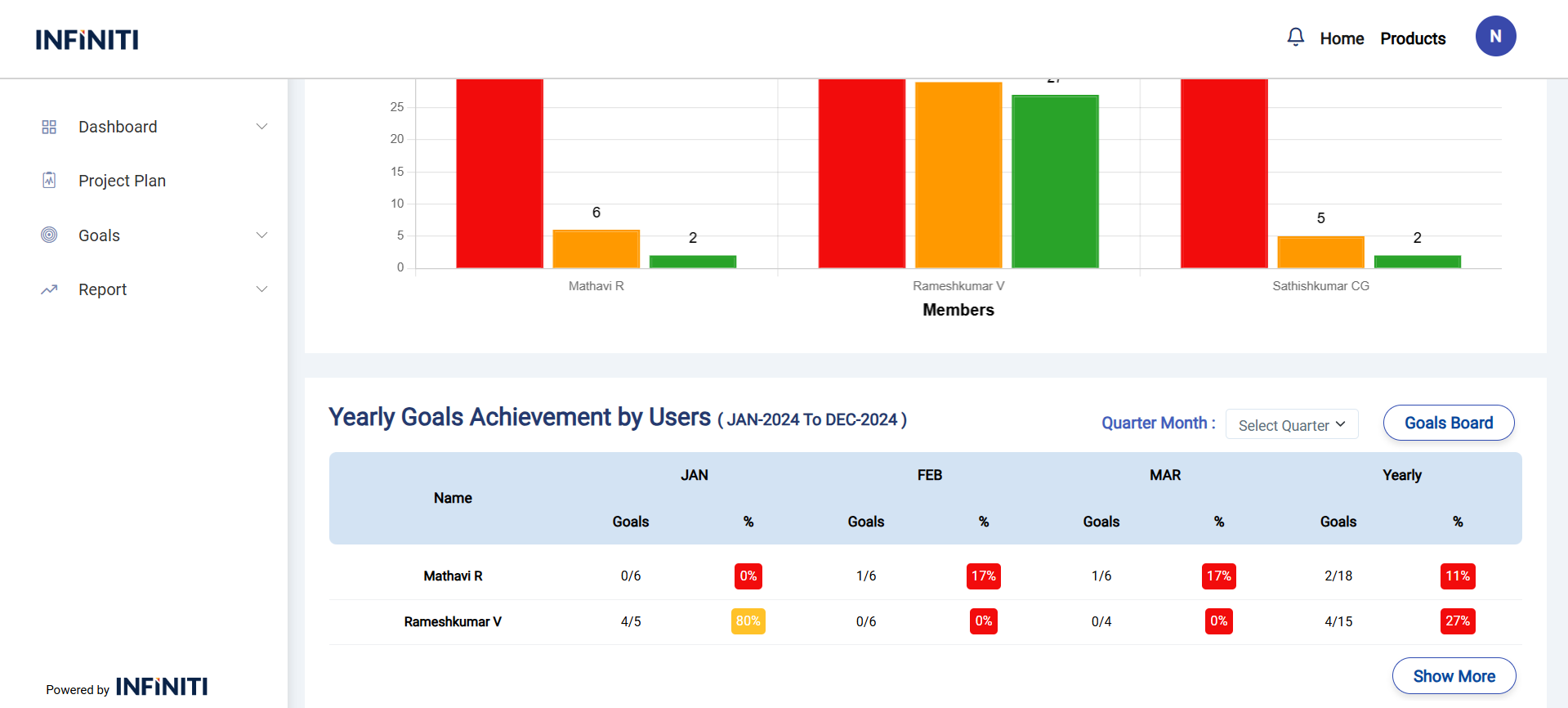
Yearly Goals Achievement by Users:
Displays the employees quarter wise details who’s comes under the manager.
Functionality:
i. Quarter Filter:
you can filter the records by quarterly using Quarter Filter.
ii. Goals Board Button
“Goals Board Button” used to redirect to the Goals Board page for give your Goals Rating and People Rating to the user.
iii. Show More:
“Show More” button used to expand the rows in the table.