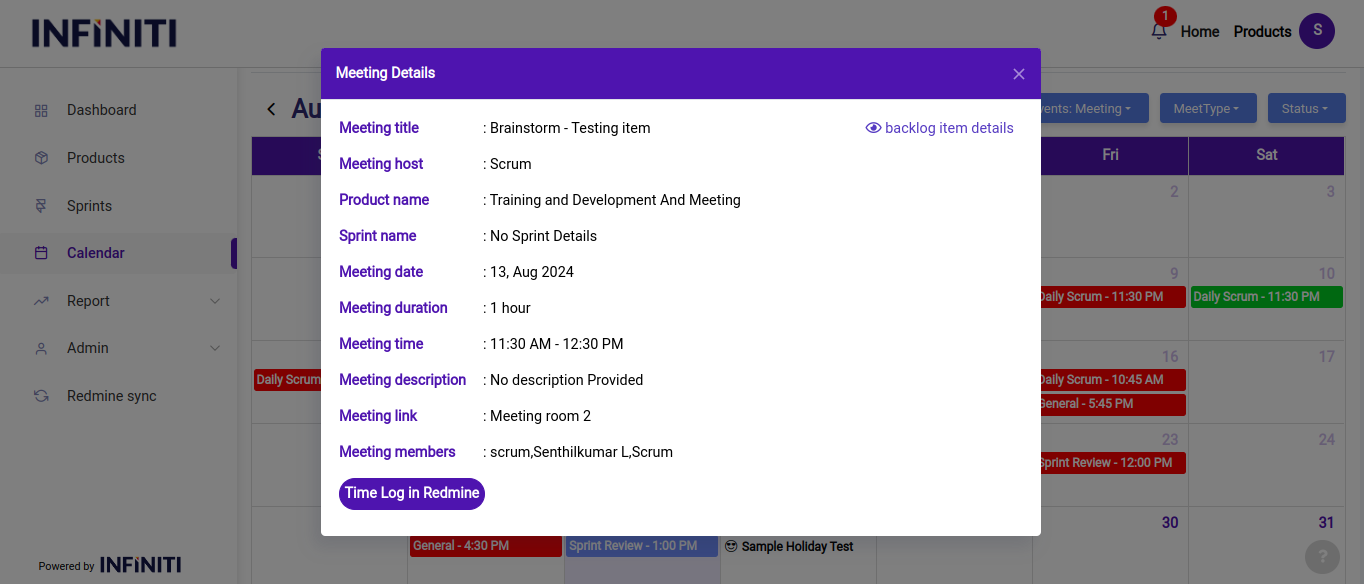
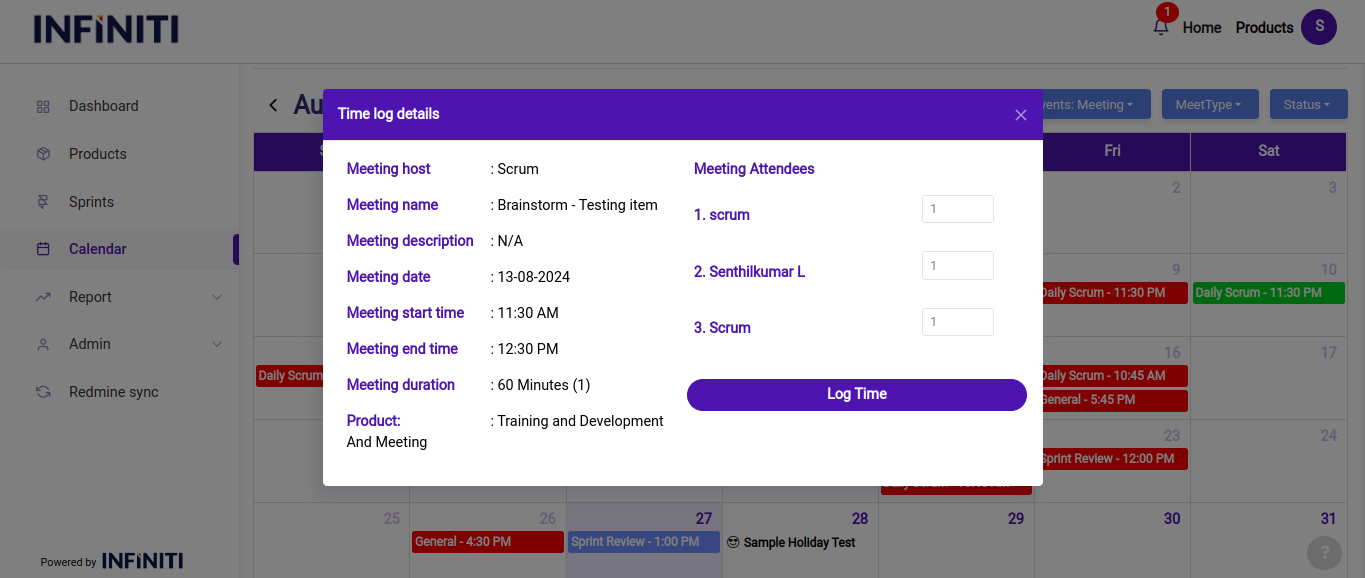
The time logging feature allows users to record the time meeting attendees spent in sessions, ensuring that every hour is accounted for and billed appropriately.
Functionality:
i. Time logging for meeting attendees:
The user who created the meeting has the ability to log time for each attendee who participated in the meeting. This feature ensures that all team members’ time is accurately tracked and reflected in redmine.
ii. List of members and meeting duration:
Attendees list: The time logging interface provides a clear list of all members who attended the meeting. This list allows the meeting creator to see exactly who needs to have their time logged.
Meeting duration: The duration available for logging is automatically based on the time specified during the scheduling of the meeting. This saves time and reduces the risk of errors in manual time entry.
iii. Adjusting duration:
Increase/Decrease duration: While the default duration is pre-filled, users have the flexibility to adjust the logged time. If the actual time spent differs from the scheduled duration, the user can easily increase or decrease the logged time as needed to reflect the true time spent.