
The events – sprints page displays only sprints in the calendar, providing a focused view for sprint planning and tracking.
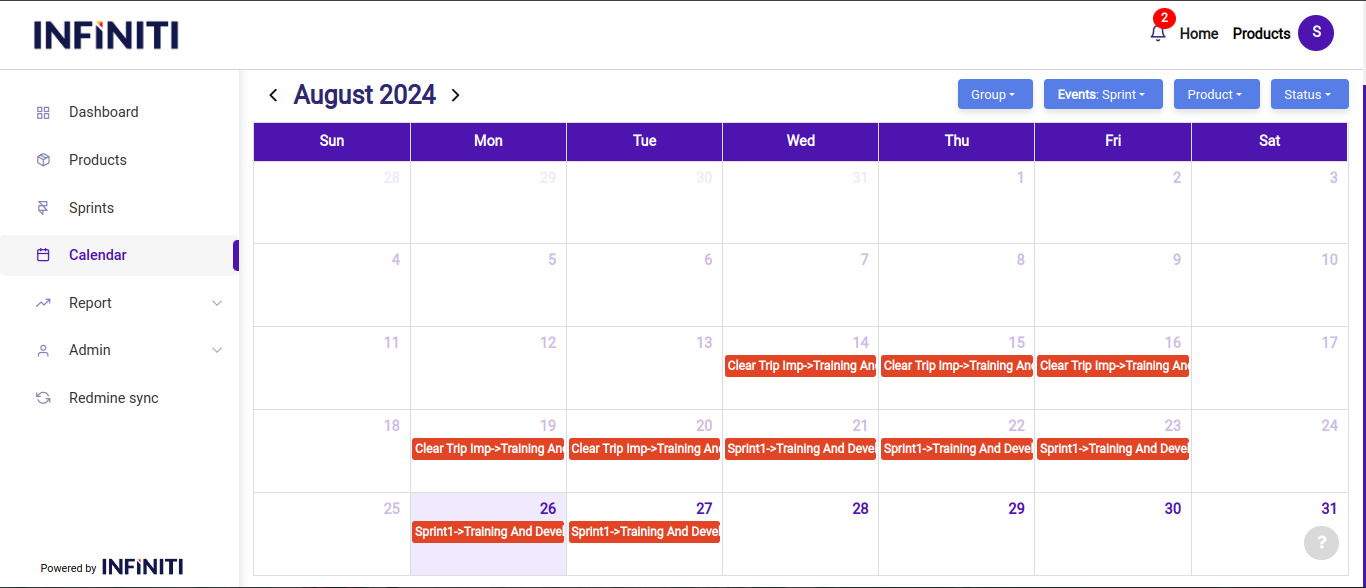
Functionality:
i. Color indicators:
- Blue: Indicates that the sprint is upcoming, helping users to prepare for the next phase of development.
- Green: Indicates that the sprint is completed, marking it as successfully finished and ready for review.
- Orange: Indicates that the sprint is ongoing, allowing users to track the current progress and status of the sprint.
ii. Each event is labeled with the sprint name followed by the product name, ensuring clear identification of the sprint’s scope and the product it relates to.
iii. Product selection:
- Using the product dropdown, users can select a specific product and view the details of its related sprints. This allows for targeted tracking and management of sprints associated with particular products.