
The single product dashboard page displays detailed information about that specific product.
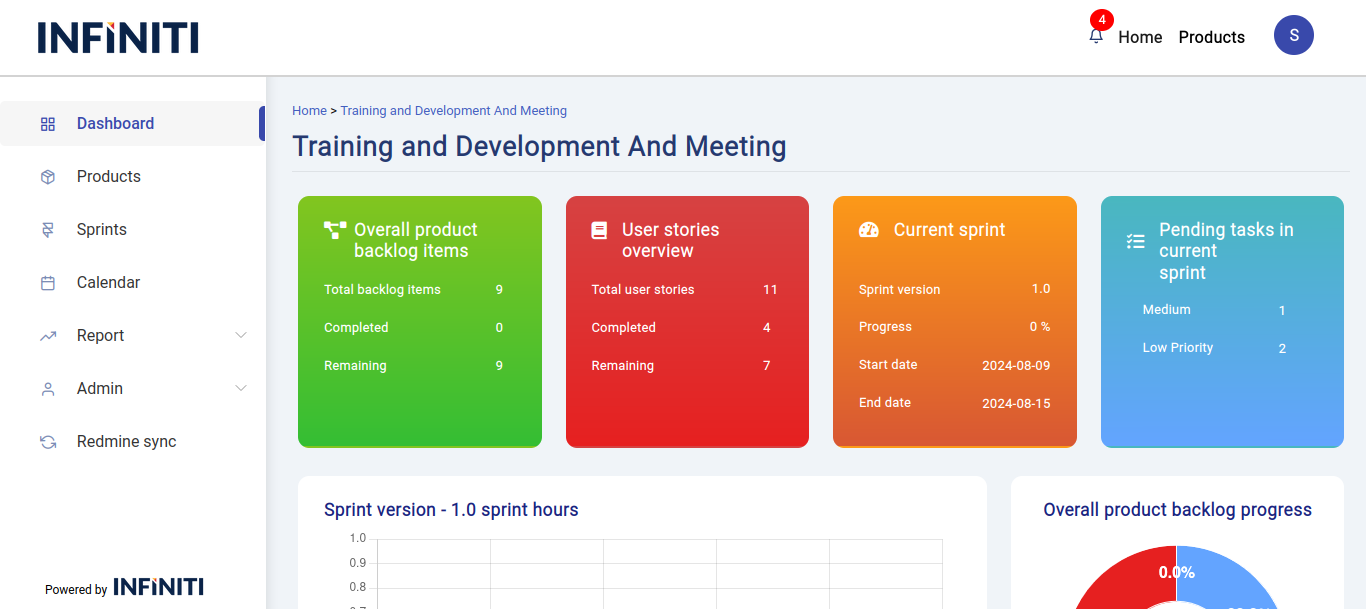
Functionality:
i. Backlog card:
- The backlog card displays the backlog items for the product, including both completed and remaining backlogs. This provides a clear overview of the product’s progress in addressing outstanding tasks.
ii. User story card:
- The user story card presents the user stories associated with the product, showing both completed and remaining stories. This helps track the development progress within the product.
iii. Current sprint card:
- The current sprint card displays the sprint version, including the percentage of completion, the start date, and the end date of the sprint. This gives users a snapshot of the sprint’s status.
iv. Pending task card:
- The pending task card prioritizes and displays tasks within the active sprint, helping users focus on high-priority tasks that need immediate attention.
v. Sprint selection dropdown:
- If multiple sprints are running within the product, a dropdown menu will appear, allowing users to select a specific sprint to view its details on the dashboard.
vi. Rope chart:
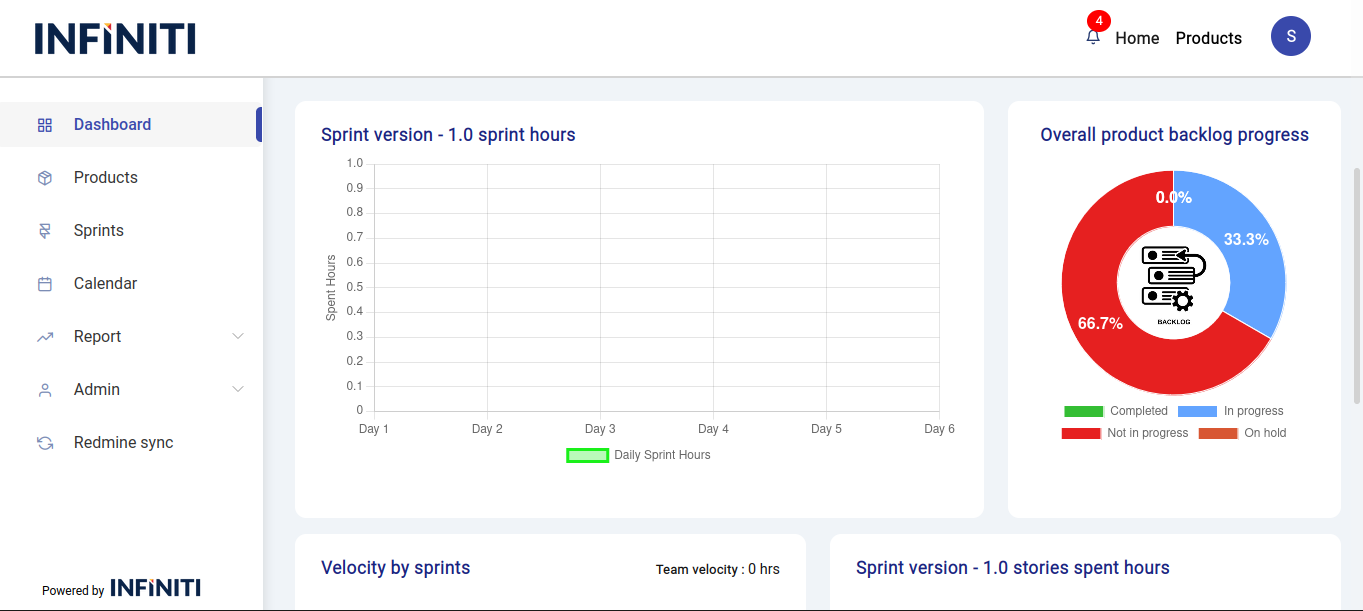
- The rope chart visualizes the day-by-day hours spent by the team during the active sprint. This helps track how team resources are allocated over time.
vii. Backlog progress chart:
- The backlog progress chart illustrates the status of backlog items in the product, showing the percentage of tasks that are completed, in progress, not started, and on hold. This provides a clear visual of backlog management.
viii. Velocity by sprint chart:
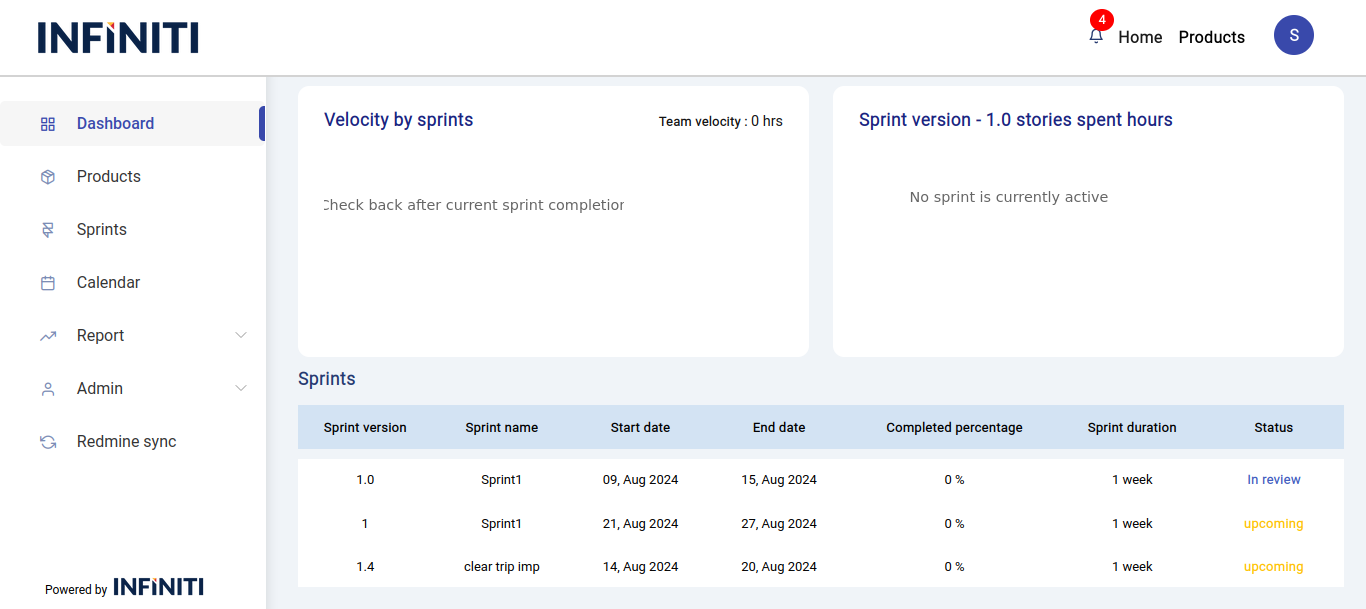
- The velocity by sprint chart displays the velocity of each sprint by showing the hours burned by the total team resources. This metric helps in assessing team efficiency and sprint planning.
ix. User story spent hours chart:
- The user story spent hours chart shows the hours burned on each user story within a sprint for the product. This helps in analyzing the effort spent on individual stories.
x. Sprint table:
- The sprint table lists the ongoing and upcoming sprint details, providing users with an overview of current and future sprint activities.