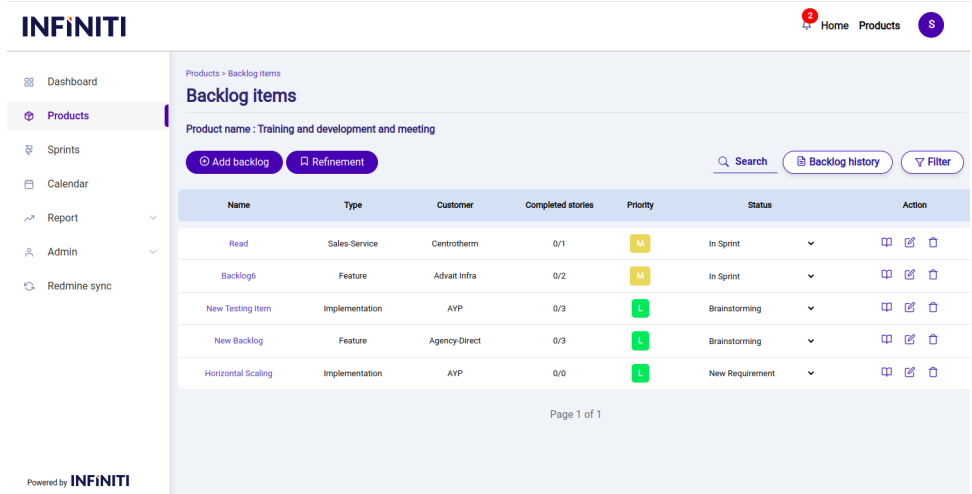
Refinement is one of the important aspect by which the user can change the backlog item order.
Backlog item order is the order in which the backlog item is taken into the sprint.
Backlog item with minimum backlog order will be the first item to taken into sprint.
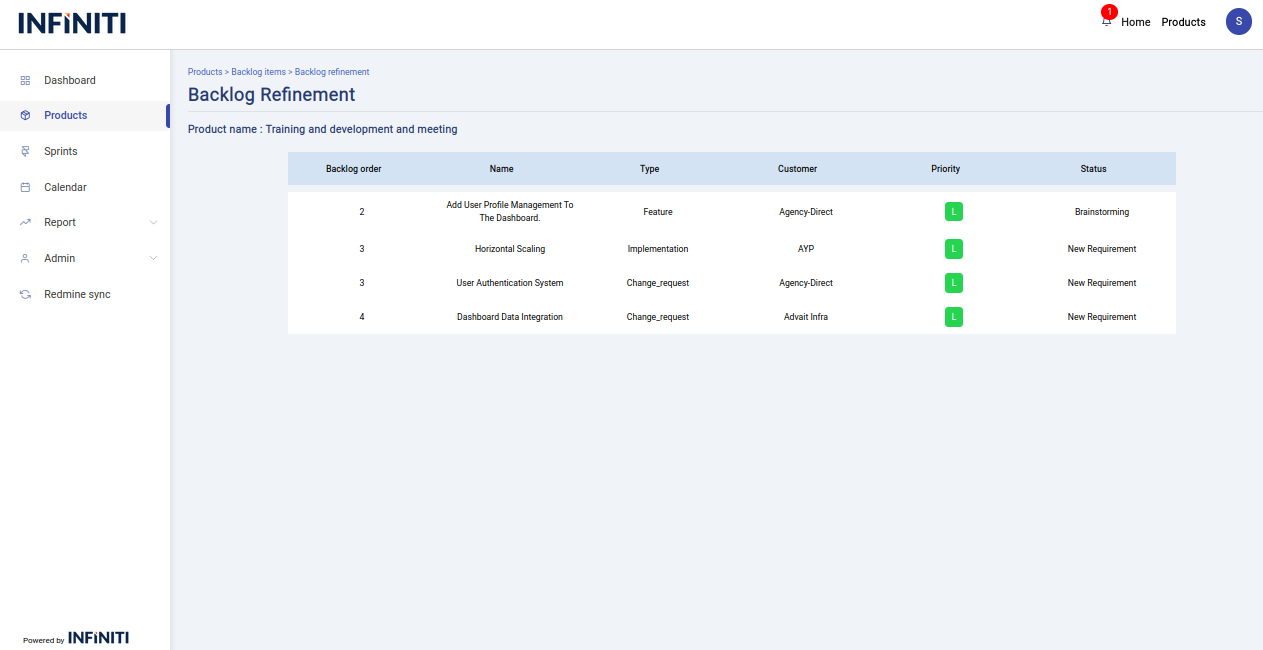
By clicking the refinement button in the backlog items view page the below page will open.
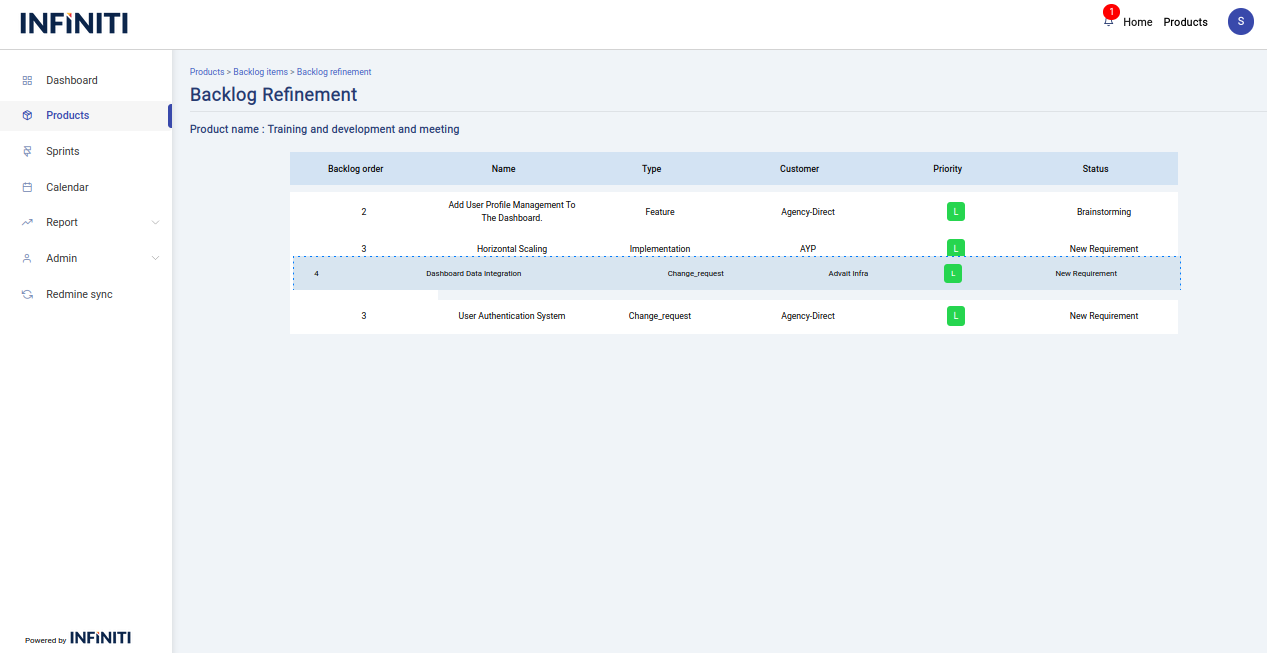
We can change the backlog order by dragging a backlog item (row in the table) and place it in the position where you want to place.
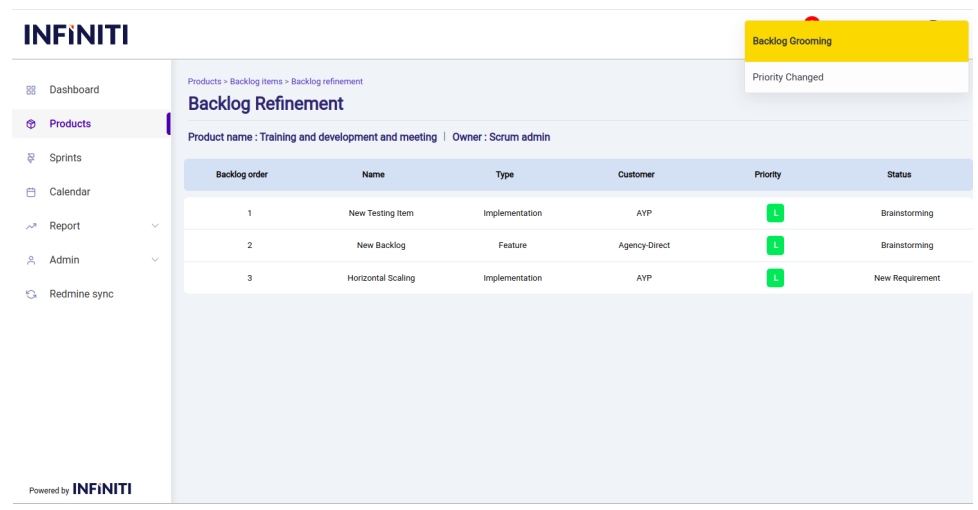
On successful grooming of backlog a toast will displayed to show the successful grooming.
The refinement page contains all the backlog items of a particular product except the backlog items which are in the status in sprint,in sprint partial and completed.
On clicking the above refinement button the refinement page given below will be displayed.
This page will contains the backlog items which are not in sprint,in sprint-partial and completed.
Drag the backlog item which you want to change and drop it in the where you want place.
On successful backlog grooming a toast will be displayed as shown below.
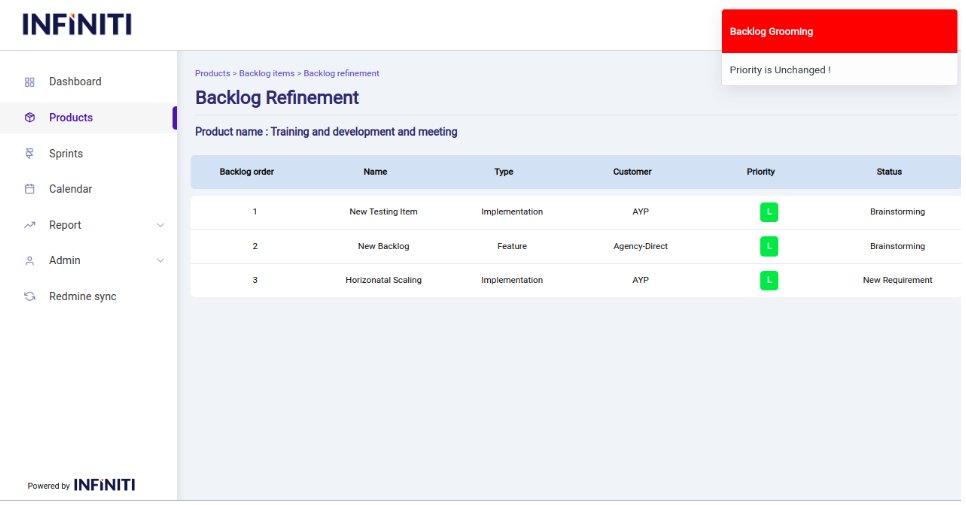
If the backlog item is mistakenly dragged and placed in the position where it already presents a toast will be displayed to show “Priority is unchanged”.
Once the backlog grooming is done the order of backlog item in the backlog items view page will also changed.