
This feature is used to synchronize data from the redmine database to the local scrum database. It includes five synchronization functionalities.
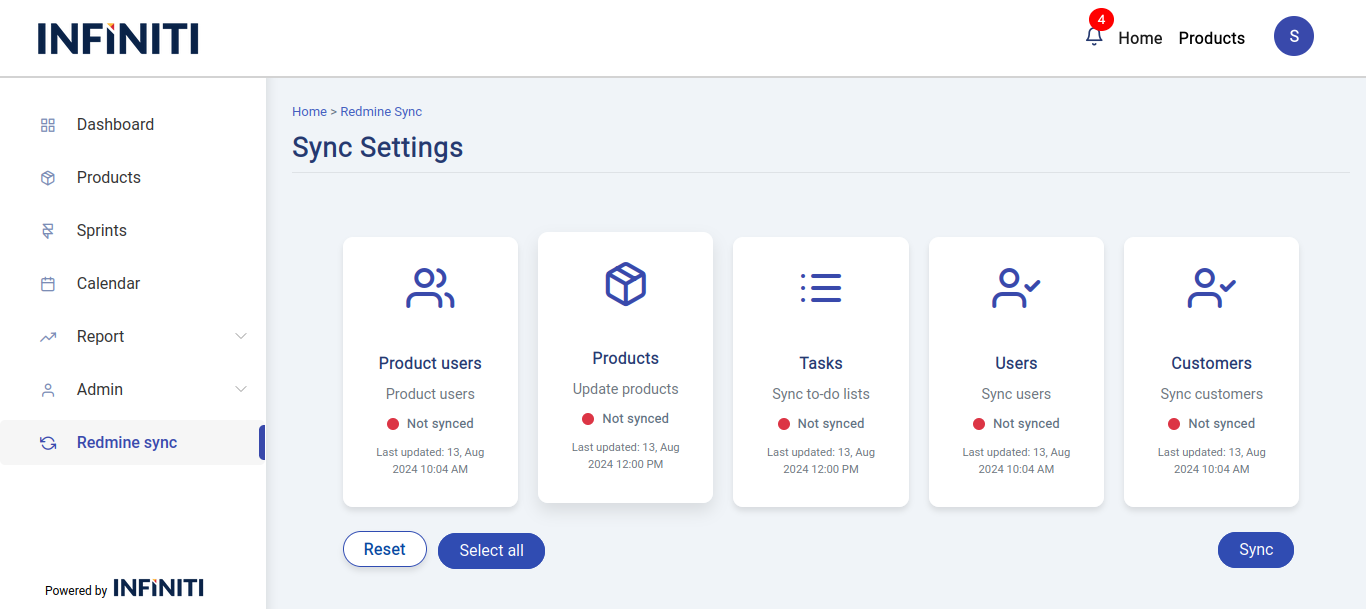
Functionality:
i. Product users sync:
- This functionality synchronizes the product assignments and user associations from the Redmine database to the local Scrum database. It ensures that the user-product relationships are updated and consistent across both systems.
ii. Products sync:
- This functionality synchronizes product data from the Redmine database to the local Scrum database. It updates product details and ensures that the product information in the Scrum database reflects the latest data from Redmine.
iii. Task sync:
- This functionality synchronizes tasks from the Redmine database to the local Scrum database. It ensures that task information, including status and details, is accurately transferred and updated in the Scrum database.
iv. Users sync:
- This functionality synchronizes user data from the Redmine database to the local Scrum database. It updates user information, including names, roles, and other relevant details, ensuring that the Scrum database has the latest user information from Redmine.
v. Customers sync:
- This functionality synchronizes customer data from the Redmine database to the local Scrum database. It updates customer information, ensuring that the Scrum database reflects the most current data about customers from Redmine.
- This functionality synchronizes customer data from the Redmine database to the local Scrum database. It updates customer information, ensuring that the Scrum database reflects the most current data about customers from Redmine.
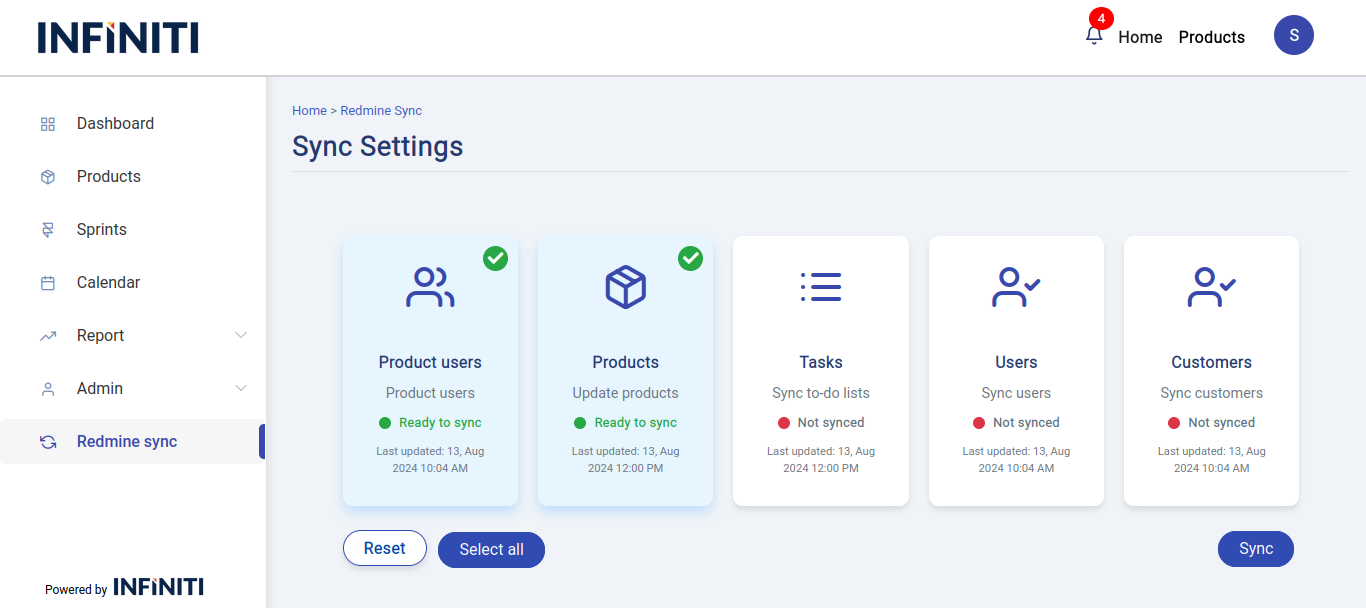
vi. Selected cards:
- The selected items will be displayed with a tick mark and highlighted cards, similar to the described image. When an item is selected, it will show a tick mark, and the card representing the item will be visually highlighted.