Scrum guide

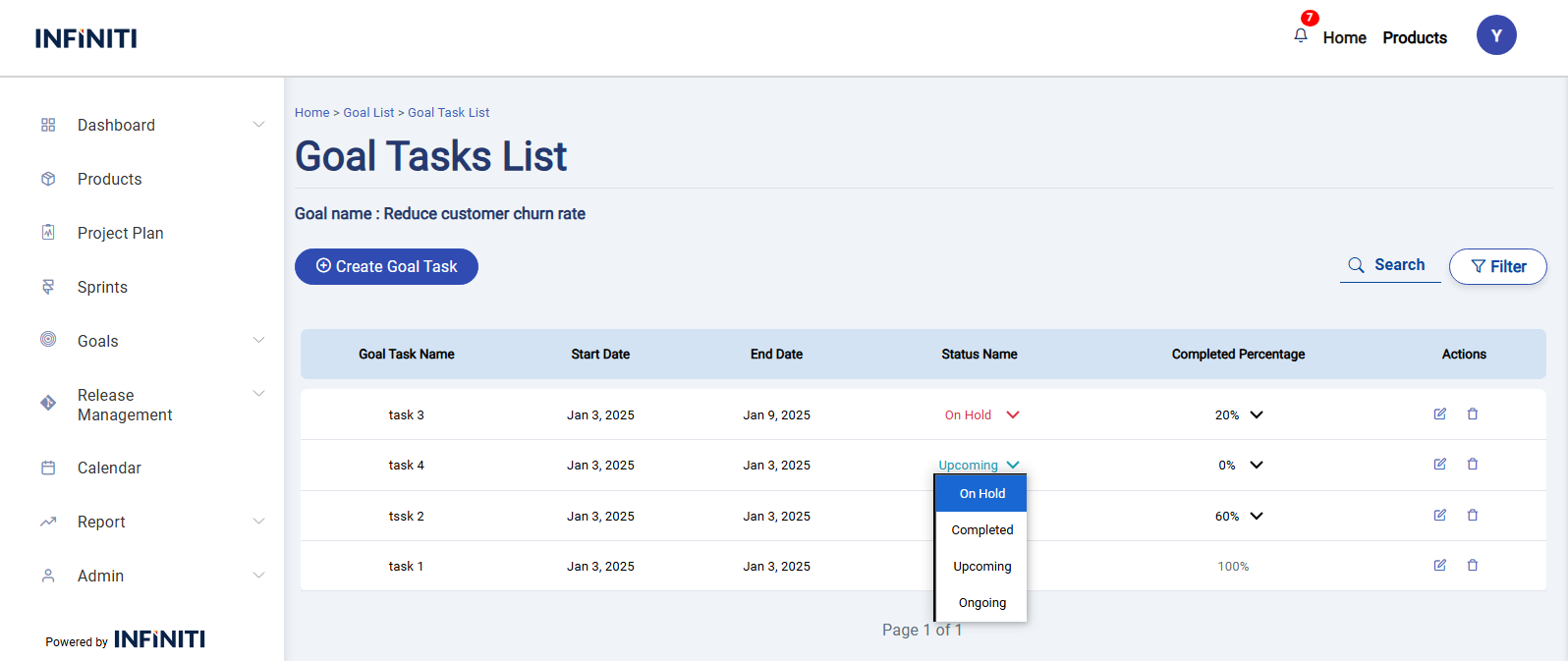
Quick Edit For Goal Task

allowing users to quickly update fields such as status and completed percentage .


Behavioral changes

  1. Status and Completed Percentage Interactions:
  •           If Status is changed:
    •          To Upcoming: Set Completed Percentage to 0%.
    •          To Completed: Set Completed Percentage to 100%.
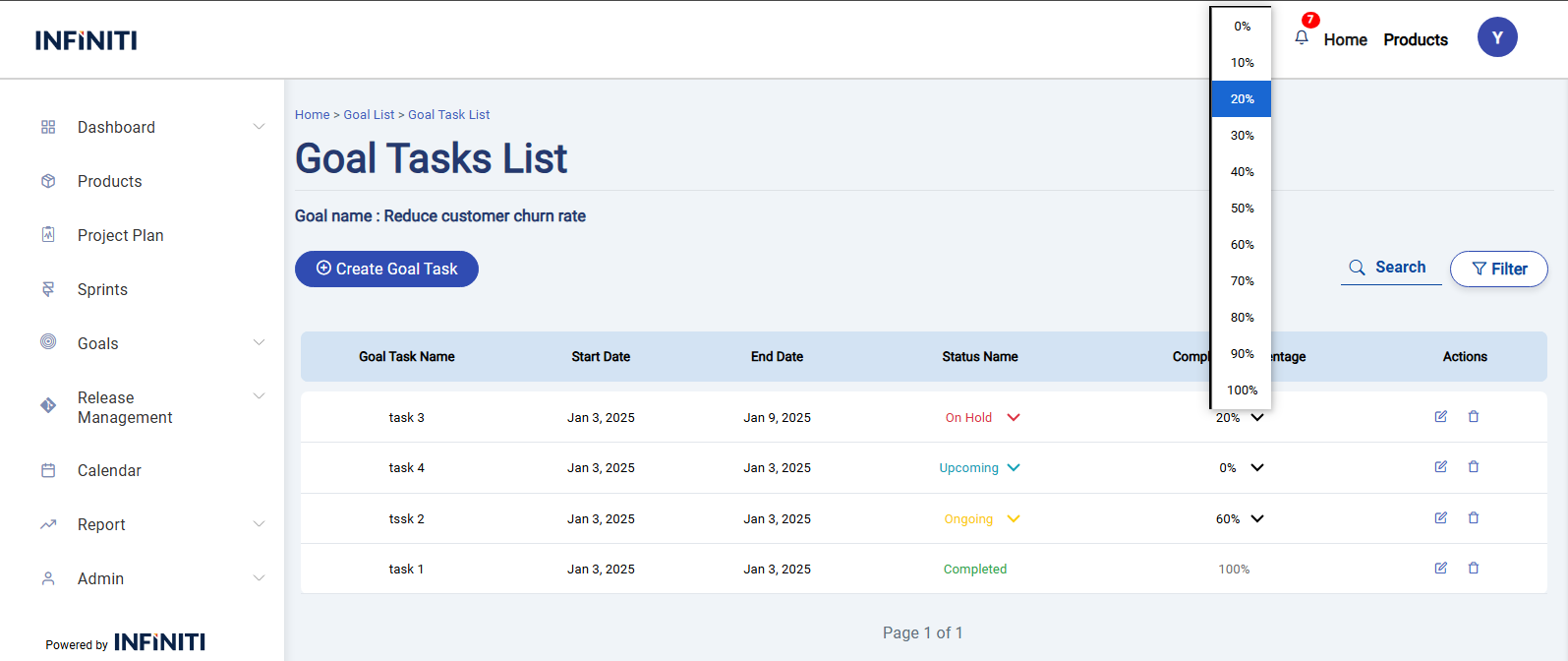
    • If Completed Percentage is changed:
      • To 0%: Set Status to Upcoming.
      • To 100%: Set Status to Completed.
      •  


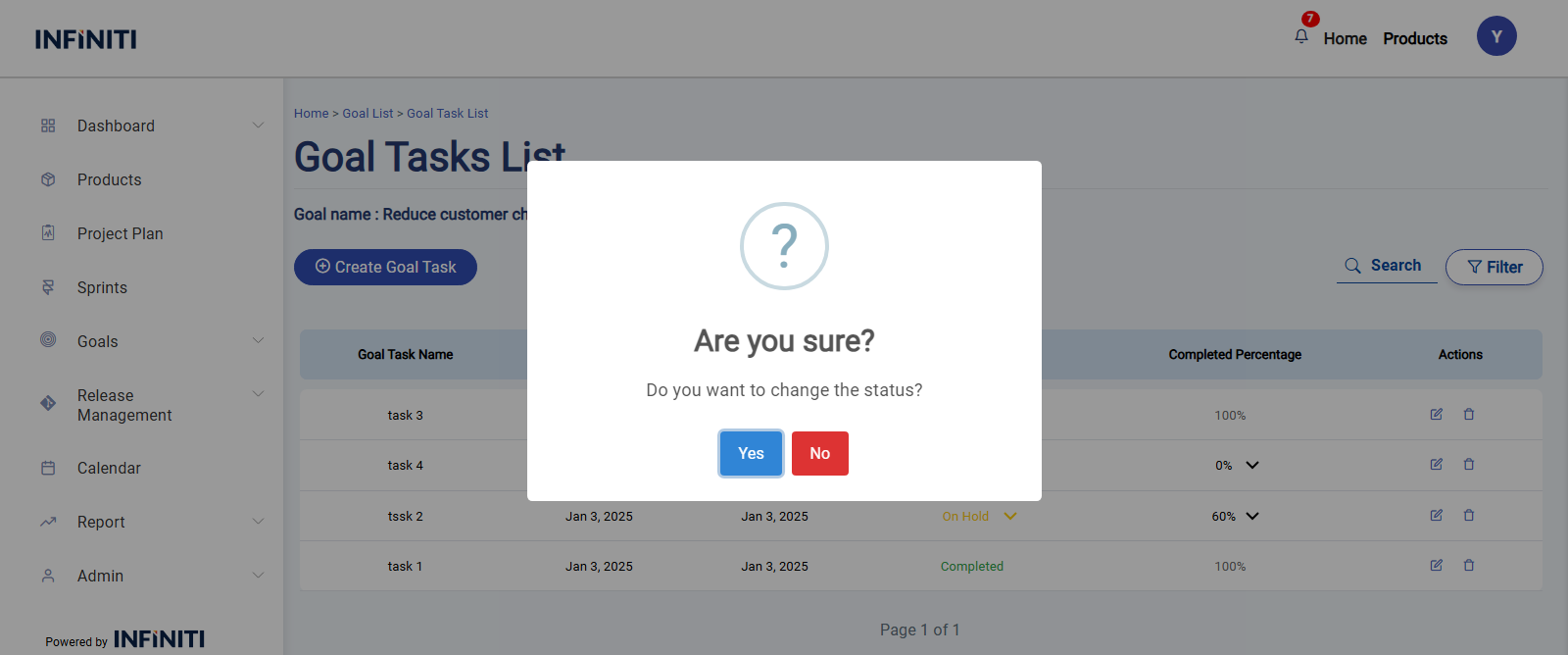
After select the status and completed percentage This popup will displayed;

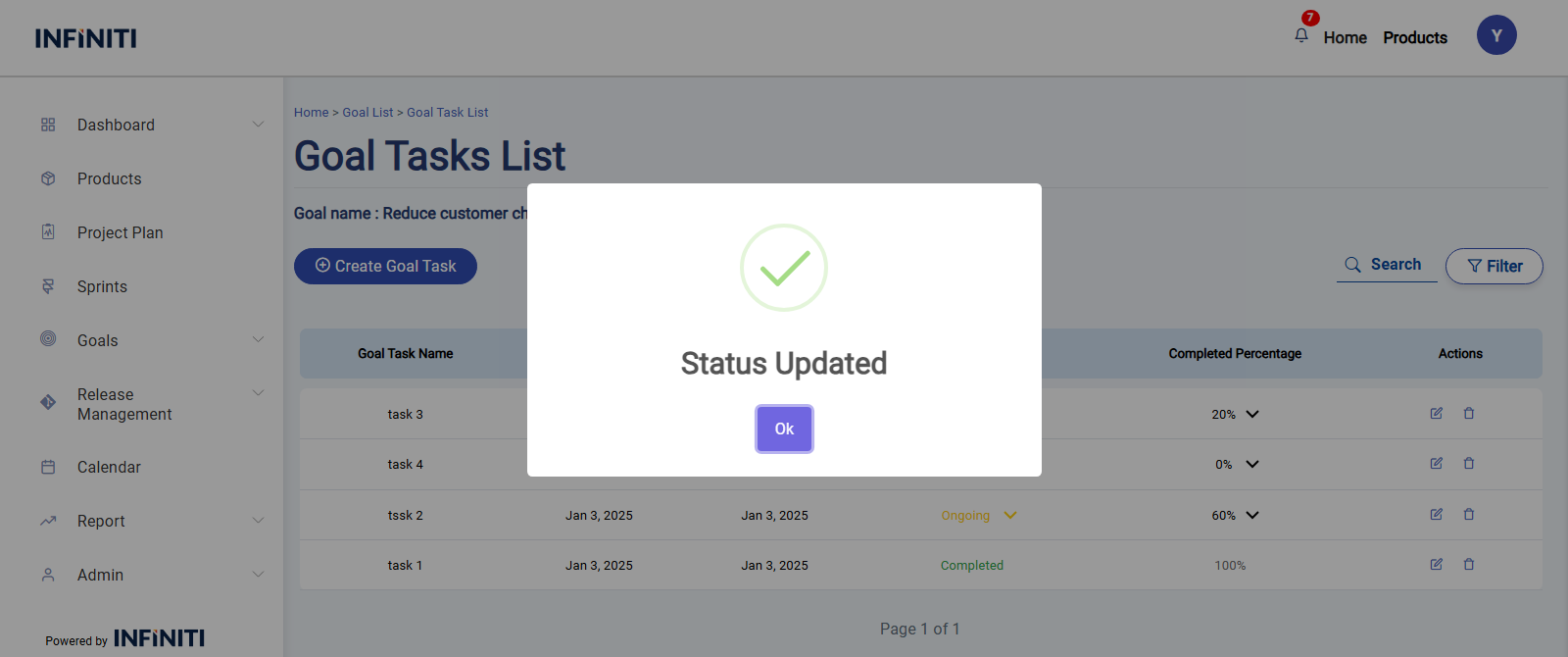
  • After click Yes Displays a success popup and Refreshes the task list to display the modified task.
 
Shopping Basket