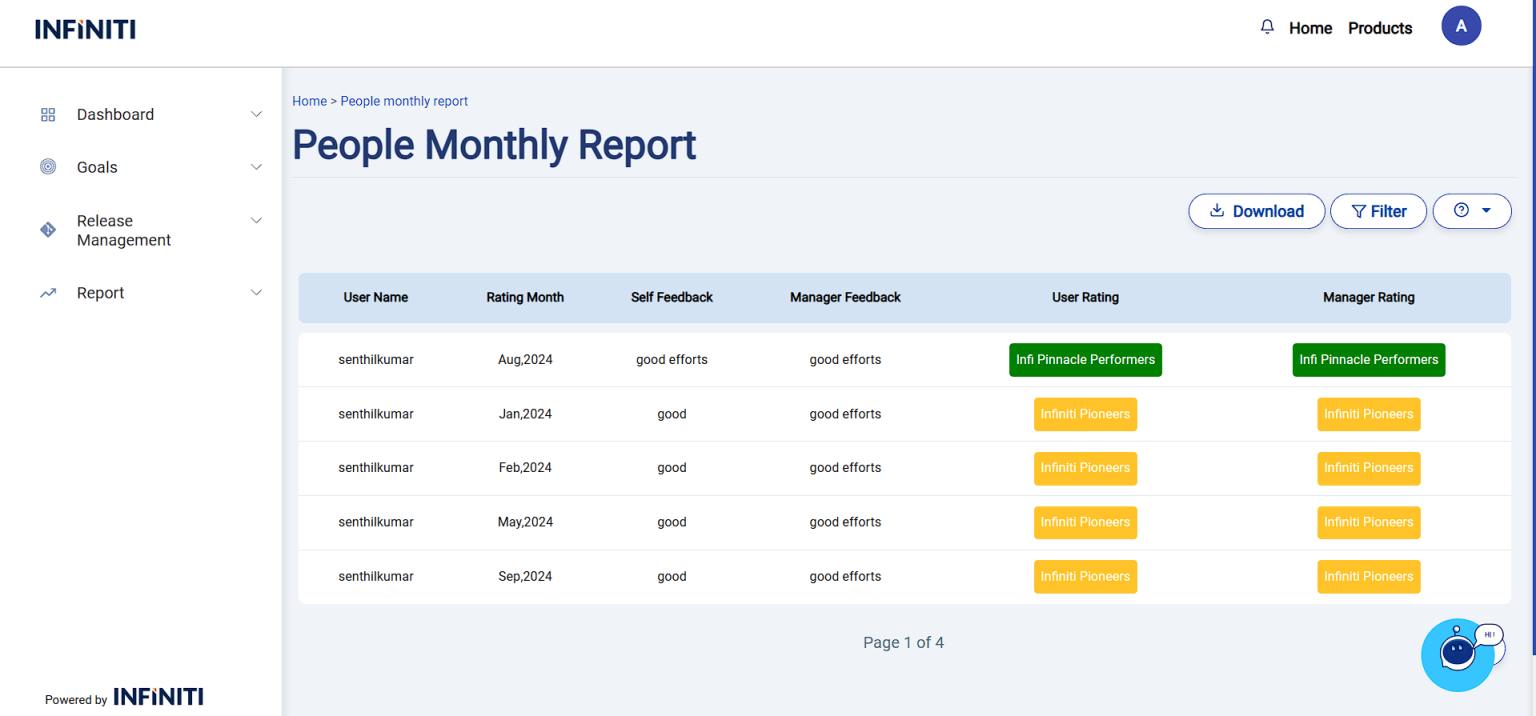
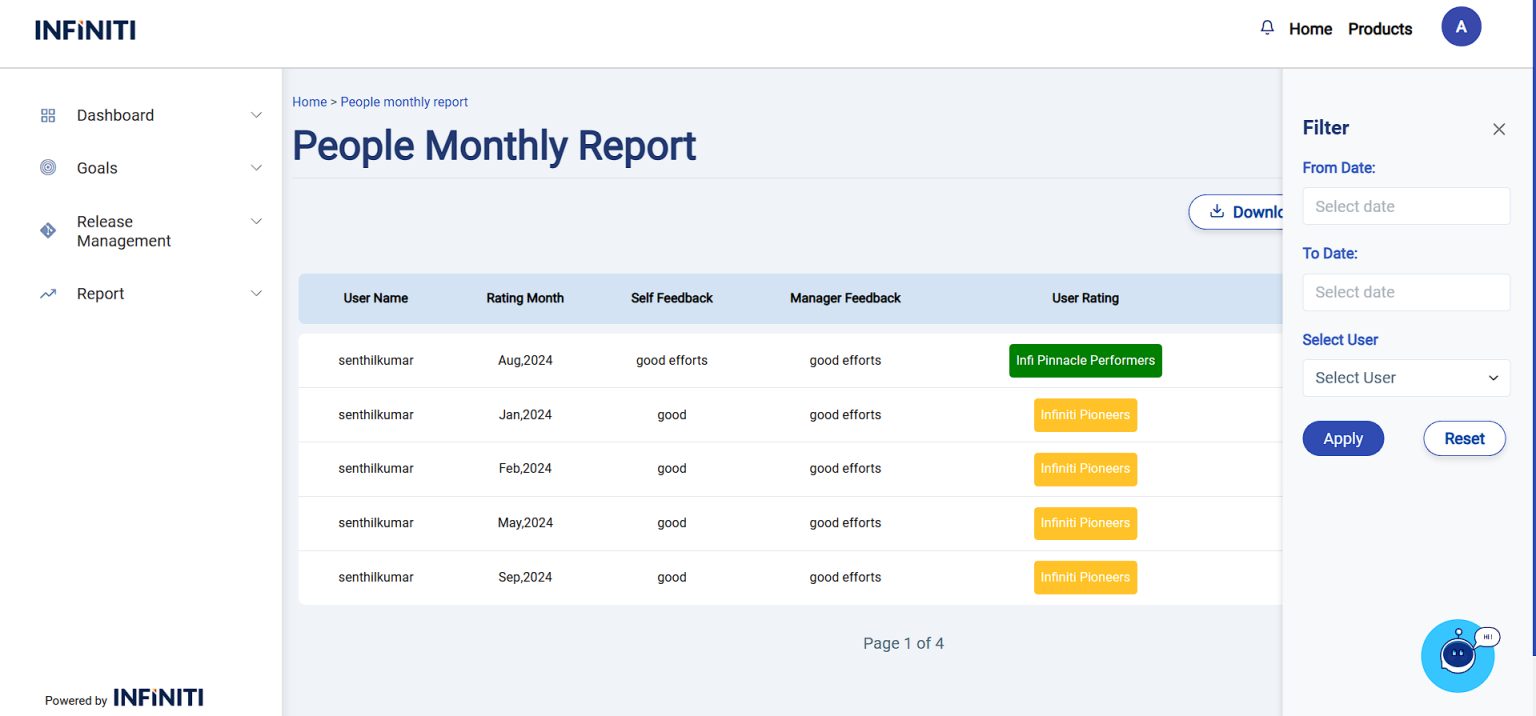
Displays user and manager ratings, along with self and manager feedback for each month. Includes filters for date range and team, helping track performance across individuals and teams. Pagination is provided, showing 10 entries per page.
Functionality:
i. Filter options:
Date filter:
Allows the user to refine the report by selecting a specific date range (From Date and To Date)
Status filter:
Helps narrow down the report by their current status.
ii. Apply filter:
When the user clicks the “Apply” button, the report updates to show only the report that match the selected filter criteria.
iii. Reset filter:
The “Reset” button clears the applied filters, returning the report to its original state where all goals are displayed. The form fields are also reset to their default values, removing any previously selected filter options.
iv. Download report:
If the user clicks the “Download” button, the report will be downloaded in Excel format with all the data
Pagination:
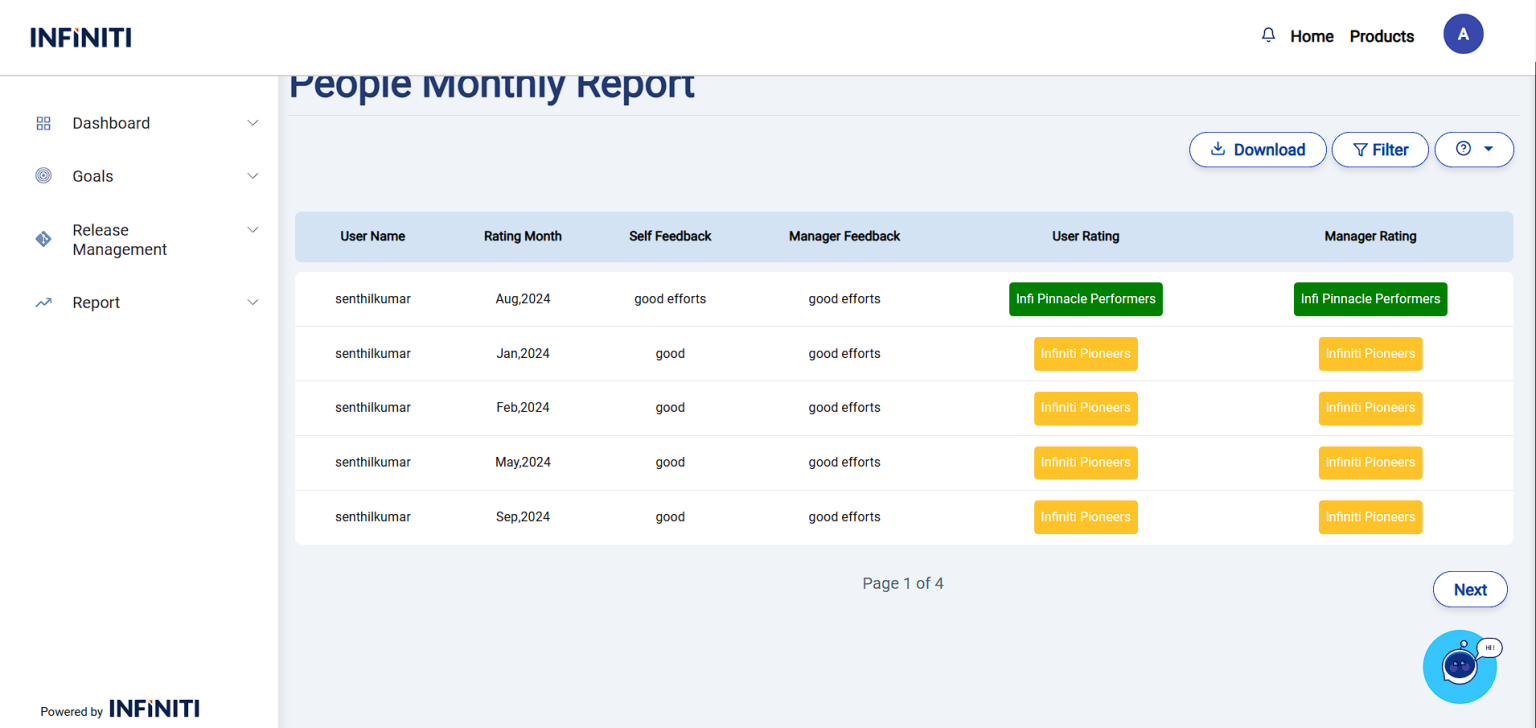
The report displays 10 entries per page, with navigation options to move between pages for easier data management.
Next and Prev buttons are used for page navigation in the reports. The Prev button is displayed only when a previous page is available, and the Next button is displayed only when a next page is available