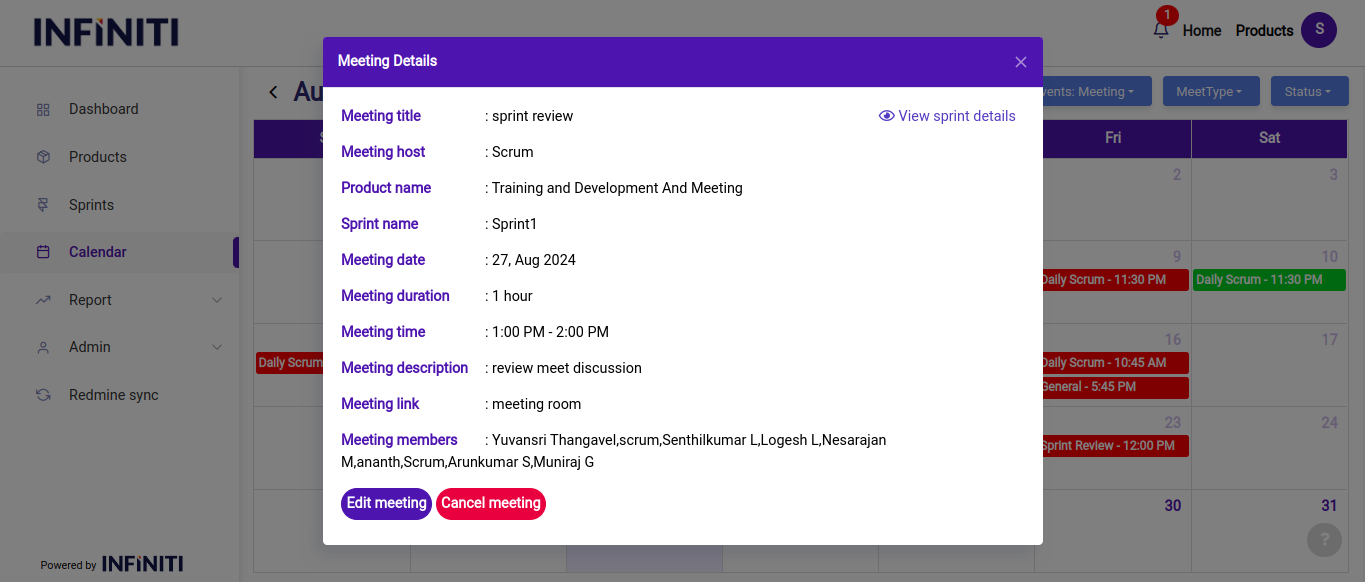
When a user clicks on a scheduled meeting within the calendar, a detailed view of that specific meeting is presented. This view offers comprehensive information about the meeting and provides various options depending on the user’s role and the meeting’s context.
Functionality:
i. Viewing meeting details:
Upon clicking on a scheduled meeting, users are presented with all the relevant details, including the meeting title, date, time, location, participants, agenda, and any additional notes or attachments.
This detailed view ensures that all pertinent information is easily accessible, allowing participants to prepare for or review the meeting effectively.