
The login screen is the entry page for the Scrum Management Portal.
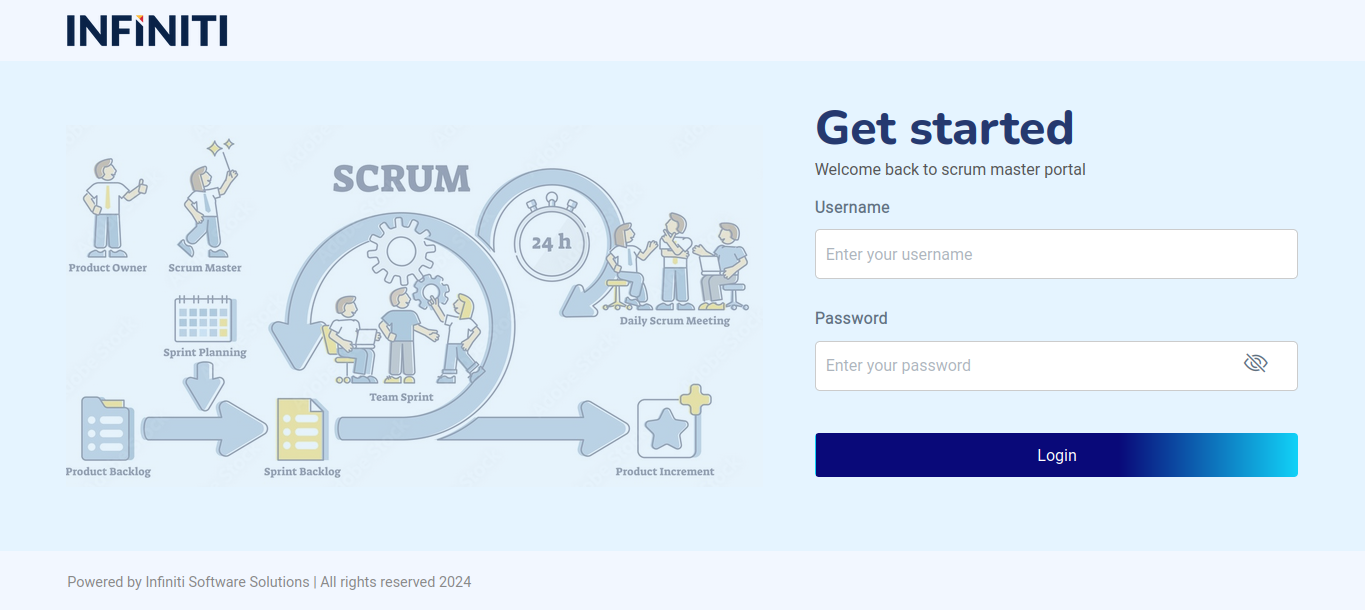
Functionality:
i. Entering your username: #
- Step 1: Locate the “Username” field on the login page.
- Step 2: Click inside the “Username” field to activate it.
- Step 3: Enter your Redmine username.
- Note: Your username must have a minimum of 3 characters.
ii. Entering your password: #
- Step 1: Locate the “Password” field below the “Username” field.
- Step 2: Click inside the “Password” field to activate it.
- Step 3: Enter your Redmine password.
- Note: Your password must have a minimum of 8 characters.
iii. Submitting the form: #
- Step 1: After entering both your username and password, review the information for accuracy.
- Step 2: Click the “Login” button to submit your credentials.
iv. Successful login: #
- If your credentials are correct:
- You will be redirected to the dashboard page.
- You can now access the features and functionalities available to you.
- If your credentials are correct:
v. Unsuccessful login: #
- Invalid username or password:
- If the username or password is incorrect, an error message will appear.
- Double-check your credentials and try again.
- User not found:
- If you receive a message stating, “User not found. Please contact HR to create a Redmine account,” it means that your username does not exist in the system.
- Action Required: Contact your HR department to set up your Redmine account.
- Minimum character requirements:
- If your username or password does not meet the minimum character requirements, you will be prompted to correct it.
- Username error: “Username must be at least 3 characters long.”
- Password error: “Password must be at least 8 characters long.”
- Invalid username or password:
vi. Tips for a smooth login experience: #
- Check for typing errors: Carefully enter your username and password to avoid errors.
- Remember your credentials: Store your Redmine credentials in a secure place.
- Contact support: If you encounter any issues that you cannot resolve, contact your IT support team for assistance.