
- Description
-
- The Goals List page is the first page of the goal management module and displays a comprehensive list of goals that were previously created by the logged-in user or their respective managers. This page provides an overview of all goals associated with the user, including their status, deadlines, and completion progress.
- By clicking the “Goal List” menu in the sidebar, the Goal List page will be displayed.
- The below popup is add backlog item form to add the backlog item.
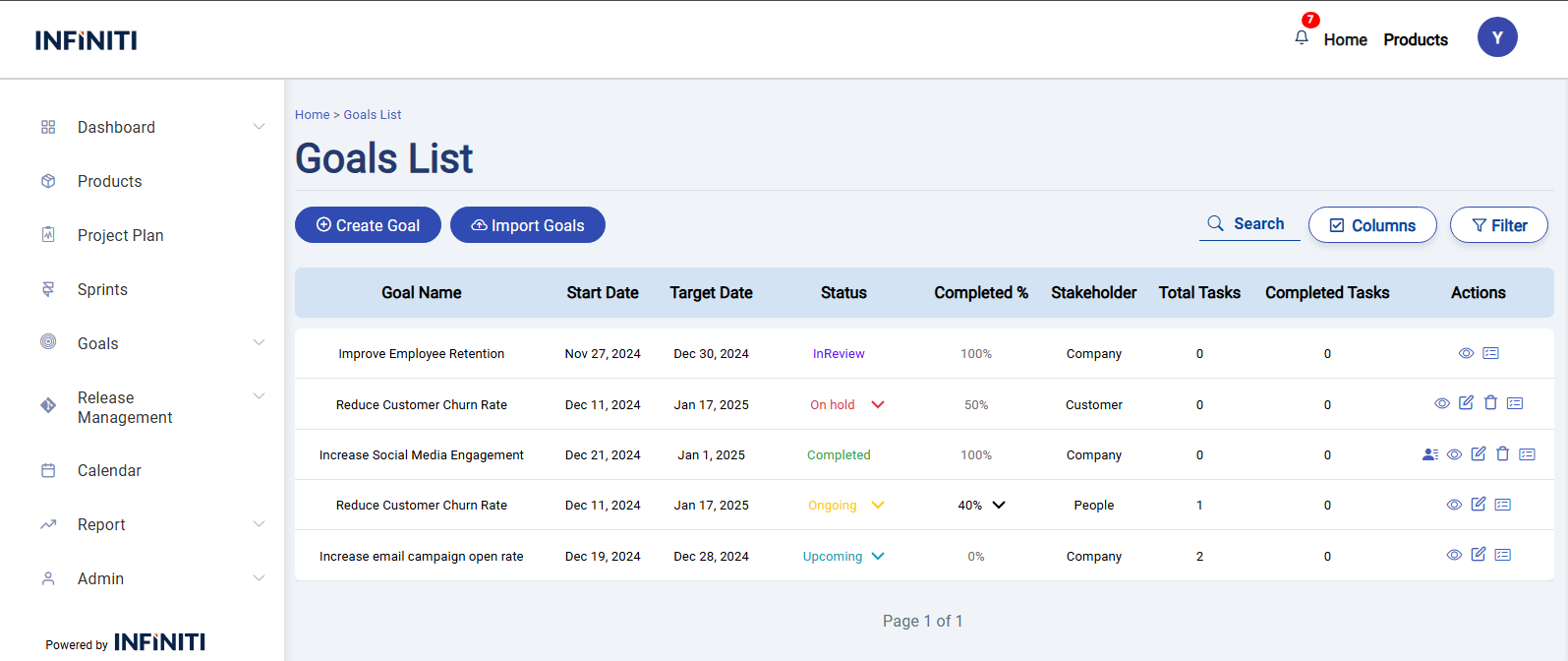
Functionality :
i. Goals display
- Displays all goals, or ‘No goals found’ if there are no goals for the logged-in user.
ii. Buttons visibility and functionality
- Create Goal: Visible to all users for creating a goal.
- Import Goal: Visible to all users for importing a bulk list of goals.
- Give Rating: Visible only if the goal status is “Completed” for giving a rating to the goal.
- Goal View: Visible to all users, regardless of the goal’s status, for viewing a goal.
- Edit Goal: Visible only if the goal status is “Upcoming,” “Ongoing,” “On Hold,” or “Completed” for editing a goal.
- Delete Goal: Visible only if the goal status is “Upcoming,” “Ongoing,” “On Hold,” or “Completed,” and the goal has no associated tasks, for deleting a goal.
- Task List: Visible to all users, regardless of the goal’s status, for navigating to the goal’s task list page.
iii. Page Features
- Columns Button: Customize the visible columns. Default columns include Goal Name, Start Date, Target Date, Status, Completion %,Stakeholder, Total Tasks and Completed Tasks. Additional columns that can be selected include Objective, Category, Employee Feedback, Employee Rating, Manager Feedback, Manager Rating, Actual End Date, Updated Date, and Spent Hours.
- Search Box: Find goals based on the goal name.
- Filters Button: Allows users to filter goals based on from/to dates, status, stakeholder, objective, and category.
- Pagination: These allow you to navigate through different pages of goals. You can move to the next or previous pages..