
- Description
- Users can mark their goals as completed and provide self-ratings and feedback on the Goal List page.Completed goals move into the review phase for further evaluation
- Managers provide feedback and ratings on the reviewed goals.
- This process occurs daily for the current month to track progress regularly.
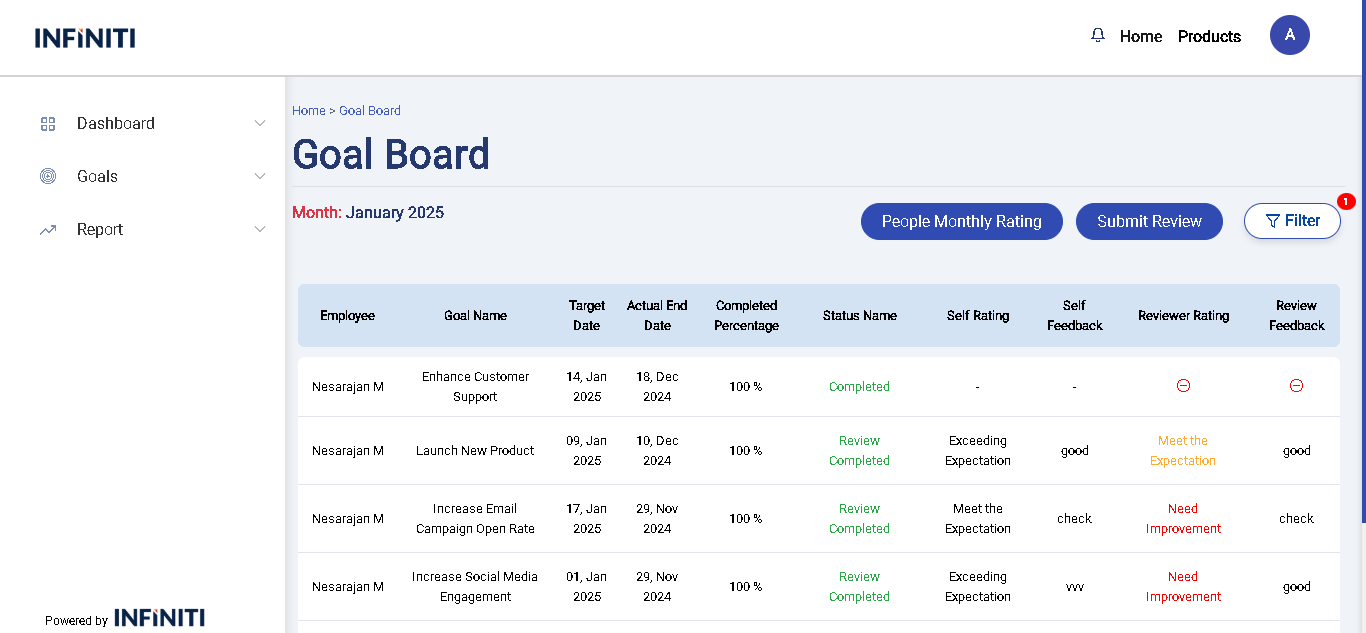
Goal Board page
- The Goal Board page contains the following fields for each goal:
- Employee Name: The name of the person responsible for the goal.
- Status: The current state of the goal (e.g., In Progress, Completed).
- Target Date: The date by which the goal should be completed.
- Actual End Date: The date when the goal was actually completed.
- Completed Percentage: Shows the completion progress of the goal as a percentage.
- Self Rating: The rating given by the user based on their performance.
- Self Feedback: Feedback provided by the user reflecting their own assessment.
- Manager Rating: The rating given by the manager for the goal.
- Manager Feedback: Feedback from the manager regarding the user’s performance and goal completion.
- The Goal Board page contains the following fields for each goal:
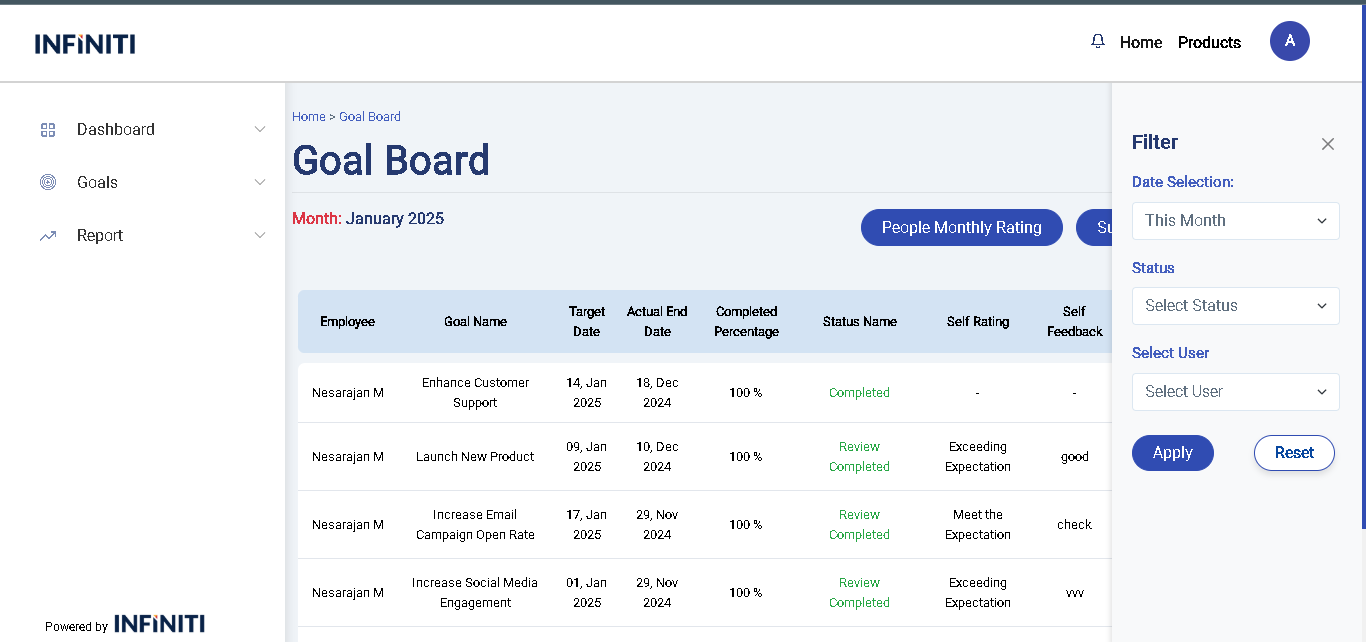
Functionality :
i. Filter Option
- 1.This Month: Allows filtering of goals that are set or completed within the current month.
- 2.Last Month: Filters goals based on data from the previous month.
- 3.Custom Range: Enables filtering by selecting a specific start and end date to view goals within a custom date range.
- 4.Status: Filters goals based on their current status (e.g., In Progress, Completed, On Hold).
- 5.User: Allows filtering by specific users to view their individual goals.
- 6.Self and Team: Filters to display either personal (self) goals or team-wide goals.
ii. Pagination
- Facilitates navigation through the goal list when dealing with a large number of entries, displaying 10 goals per page.