Scrum guide
Edit User Story
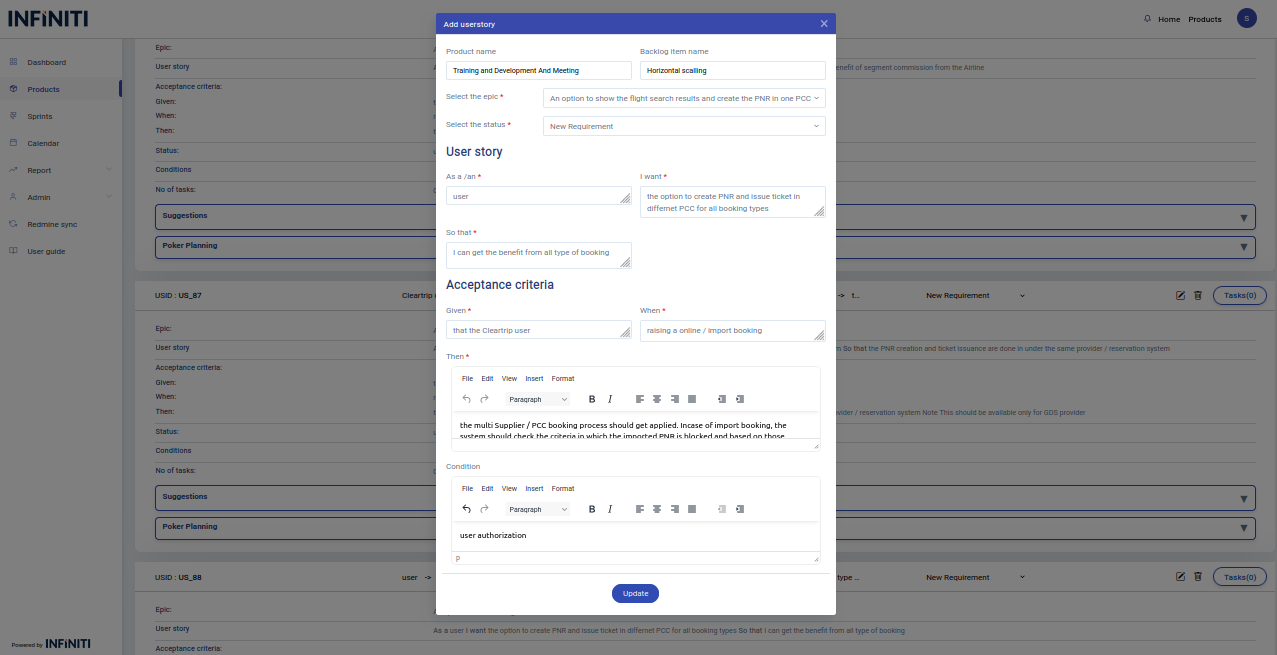
By clicking the edit icon the edit form will be opened by which one can able to edit the details of a user story.
We can edit the existing user stories and the changes will be stored in the database.
All the details of the user story will be auto populated in the form from which the user can update the field which he/she wants to change.
i. Update status
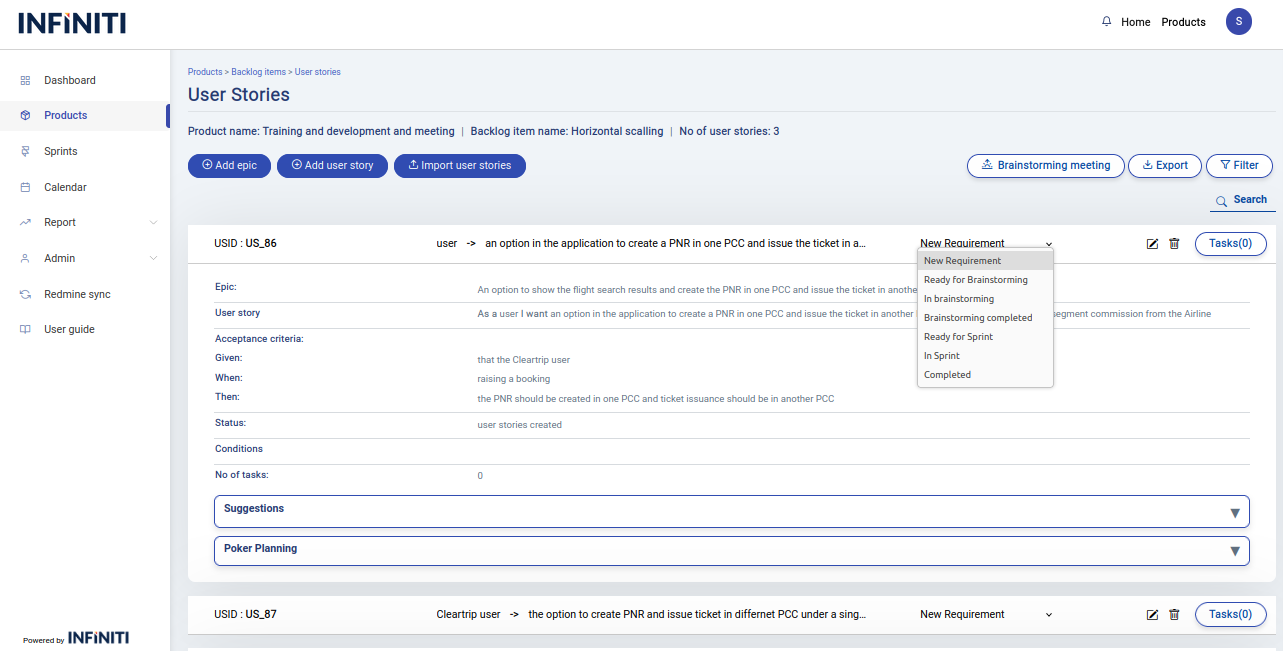
User can able to easily change the status of the user story from the user story view page itself there is no need to open the update user story form.
By clicking the status drop down displayed below we can able to edit the status and the changed status will be stored in the database.
By clicking the drop down the list of all the user story status will be displayed and we can choose and update the status.
Shopping Basket