
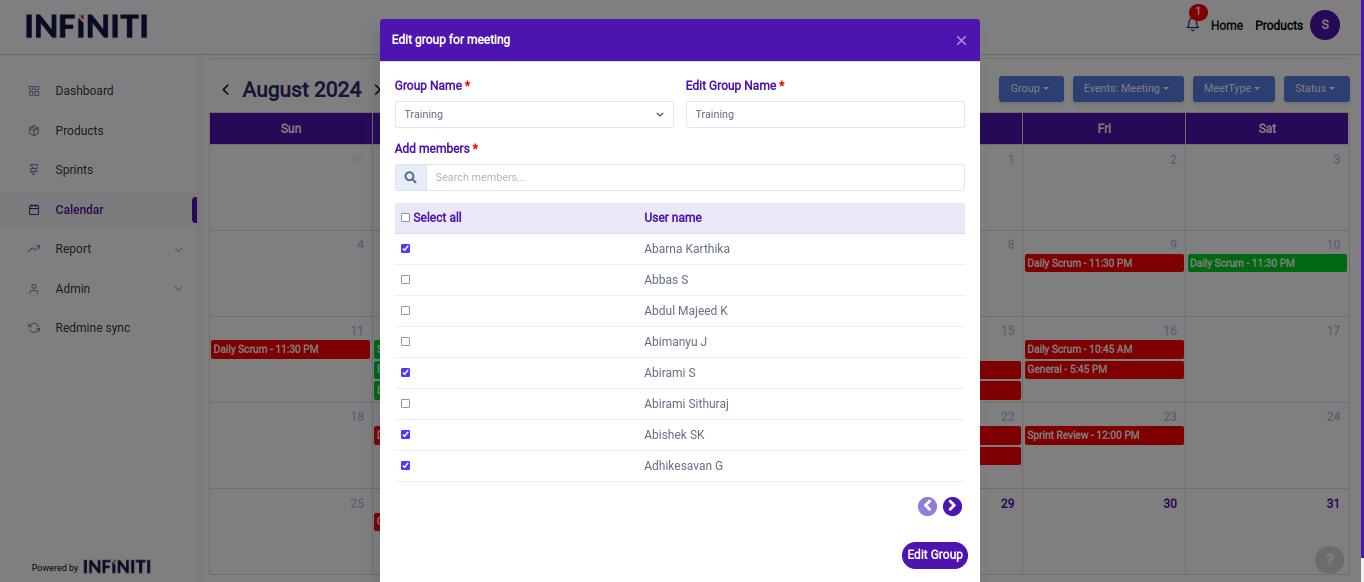
The edit and delete group feature allows users to modify existing groups by adding or removing members and delete groups.
Functionality:
i. Edit group details:
- Selecting a group:
- Users can choose a group from a dropdown list of previously created groups. This dropdown displays all groups that the user has previously created, ensuring easy access to any group that needs editing.
- Displaying selected members:
- Selecting a group:
- Once a group is selected, the system displays the current members of that group with their checkboxes pre-selected. This allows users to see which members are already part of the group and make adjustments as needed.
- Editing members:
- Users can add or remove members from the group by checking or unchecking the relevant checkboxes. This dynamic update reflects the current state of the group membership and allows users to tailor the group to their needs.
- Submitting changes:
- After making the necessary edits to the group membership, users click the “Edit group” button to save their changes.
- A confirmation alert will be displayed, informing the user that their changes have been successfully applied.
- Editing members:
ii. Delete group:
- Selecting a group for deletion:
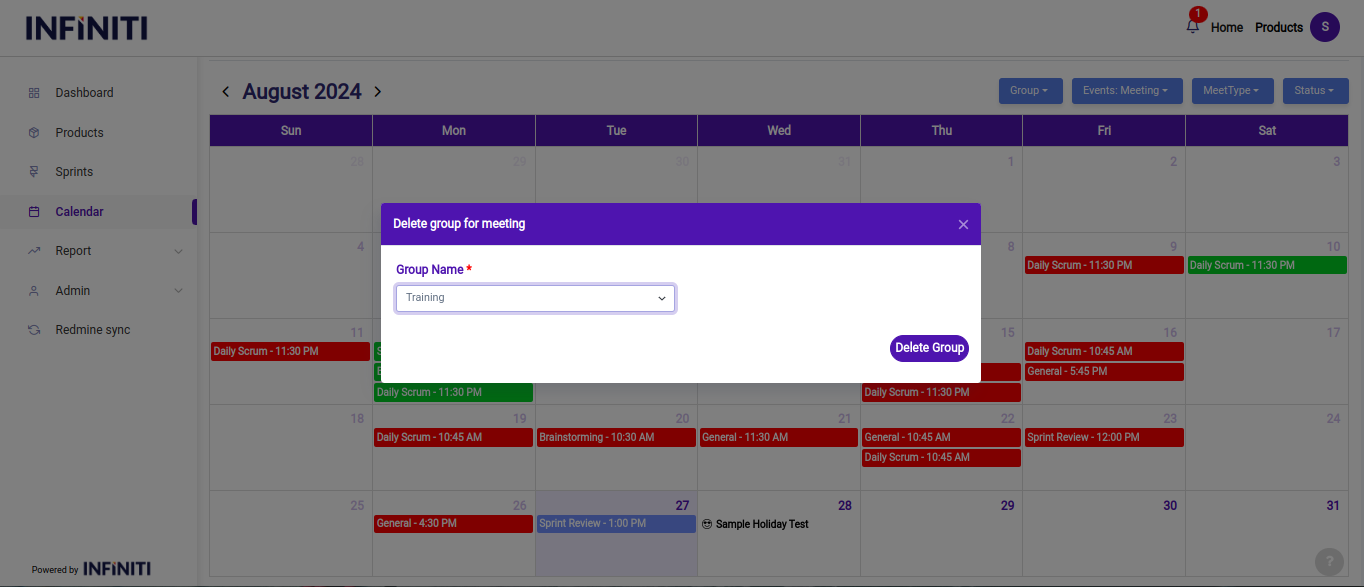
- Users can choose the group they wish to delete from a dropdown list of their previously created groups. This list ensures that users can easily find and select the correct group for deletion.
- Deleting the group:
- After selecting the group, users click the “Delete group” button to initiate the deletion process.
- A confirmation alert will appear, asking the user to confirm their intention to delete the group. This step prevents accidental deletions and ensures that the user is certain about removing the group.
- Confirmation alert:
- The confirmation alert will clearly state that the selected group will be permanently deleted. Users must acknowledge this alert to proceed with the deletion.
- Once confirmed, the group will be removed from the system, and any associated data will be deleted.
- Selecting a group for deletion: