Scrum guide
Edit Backlog
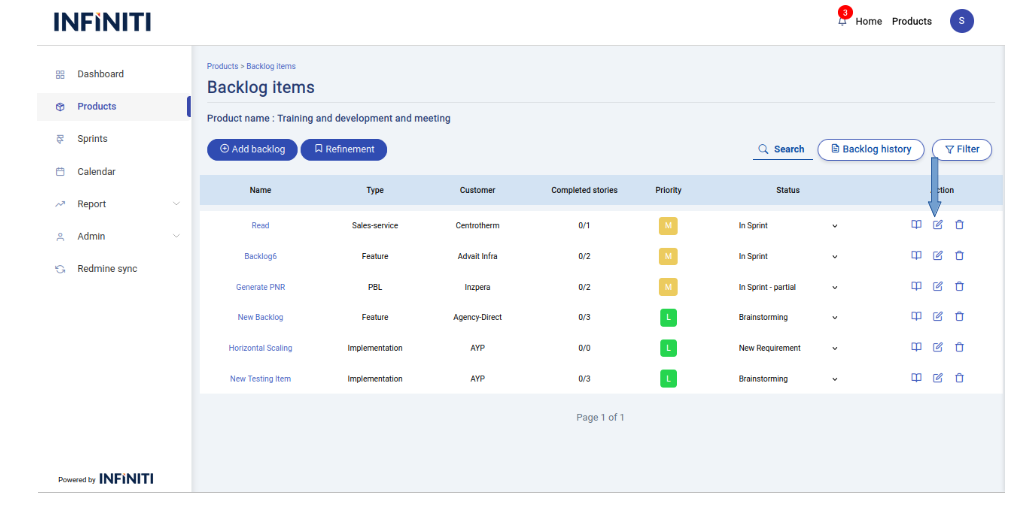
Edit backlog is editing the existing details of a backlog item.
Clicking the ‘Edit’ icon below will display the edit backlog form.
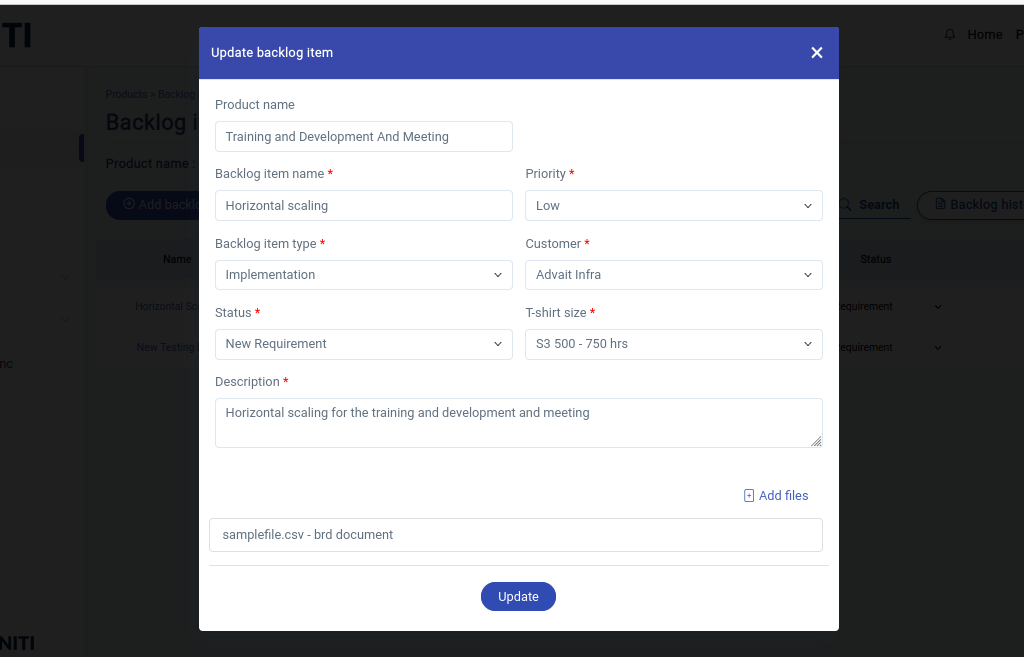
The below page is the edit backlog form.
In the Edit backlog form the files attached with the corresponding backlog item will be shown.One can able to add new files for the backlog item.
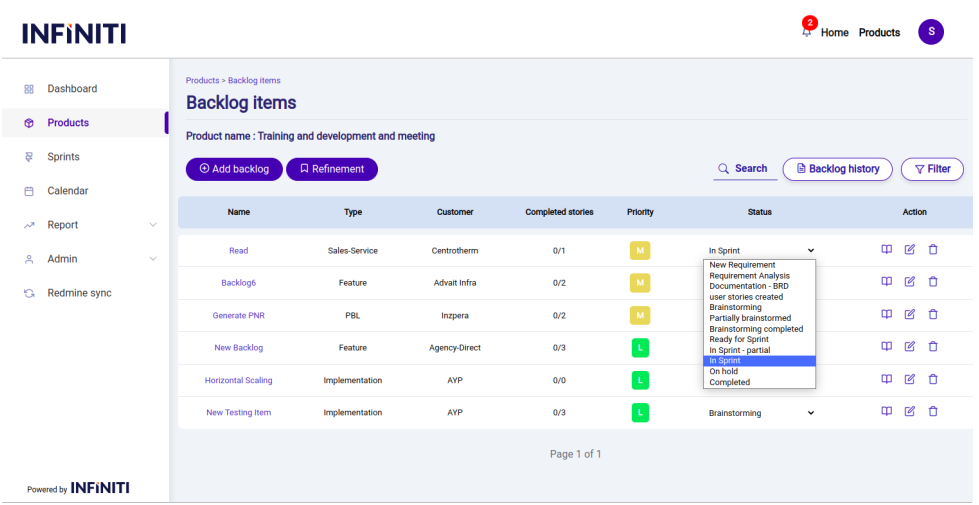
One can able to change the status of the backlog item from the backlog item view itself.
By clicking the drop down all the status of the backlog item will be listed from that user can choose the status which he/she wants to change.
The Below page display the status drop down we can change the status by using the status drop down and changes will store in the database.
Shopping Basket