
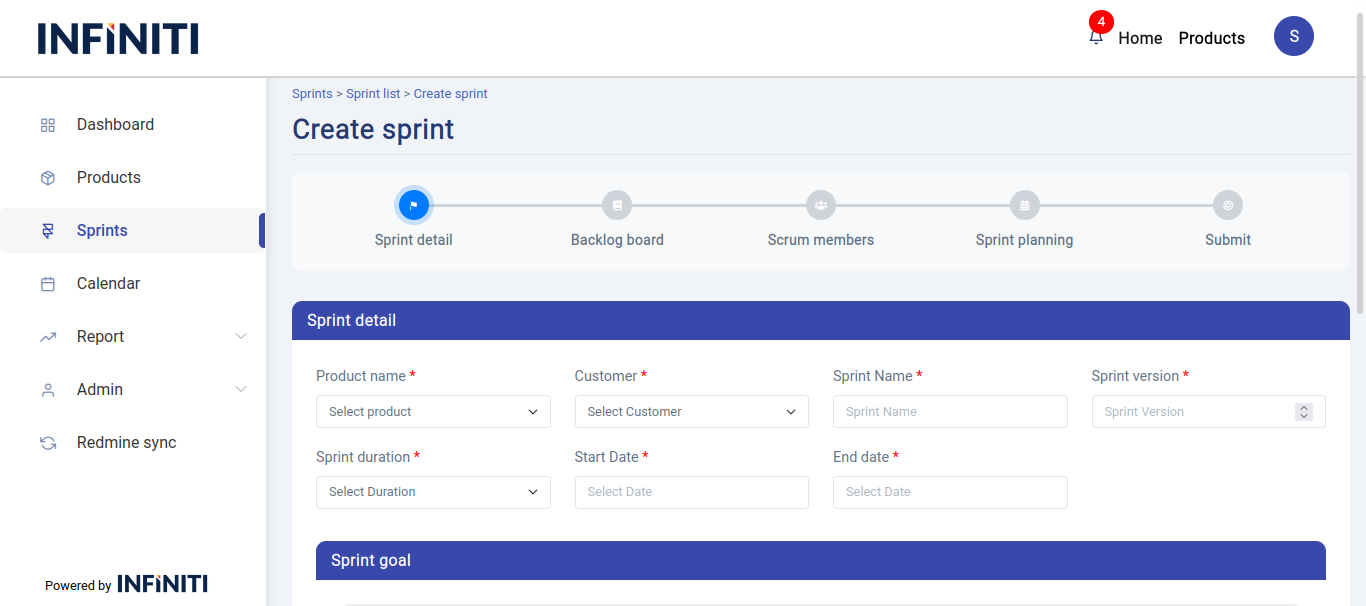
The Create sprint page allows users to create sprints for products. Clicking ‘Create Sprint’ on the sprint list page opens a form with all the necessary details to complete the process.
Functionality:
i. Button activation
-
- Create sprint button: Only authorized users can access create sprint button.
ii. Mandatory fields
-
- All fields in the Sprint detail section are mandatory.
iii. Field specifications
-
- Product name: Drop-down list to select the product names available to the user.
- Customer name: Drop-down list to select the customer names.
- Sprint name: User-defined field for entering the name of the sprint.
- Sprint version: Numeric input field where only integer values are allowed.
- Sprint duration: Drop-down to select the duration of the sprint with options such as 1 week, 2 weeks, 3 weeks, 4 weeks, 1 month, and custom duration.
- Dynamic end date: End date is automatically set based on the selected duration when the start date is chosen.
- Sprint goal: Text area for entering the sprint goal.
The below contents are displayed only when the product name is chosen. It contains three accordions like backlog board, scrum members and sprint plan.
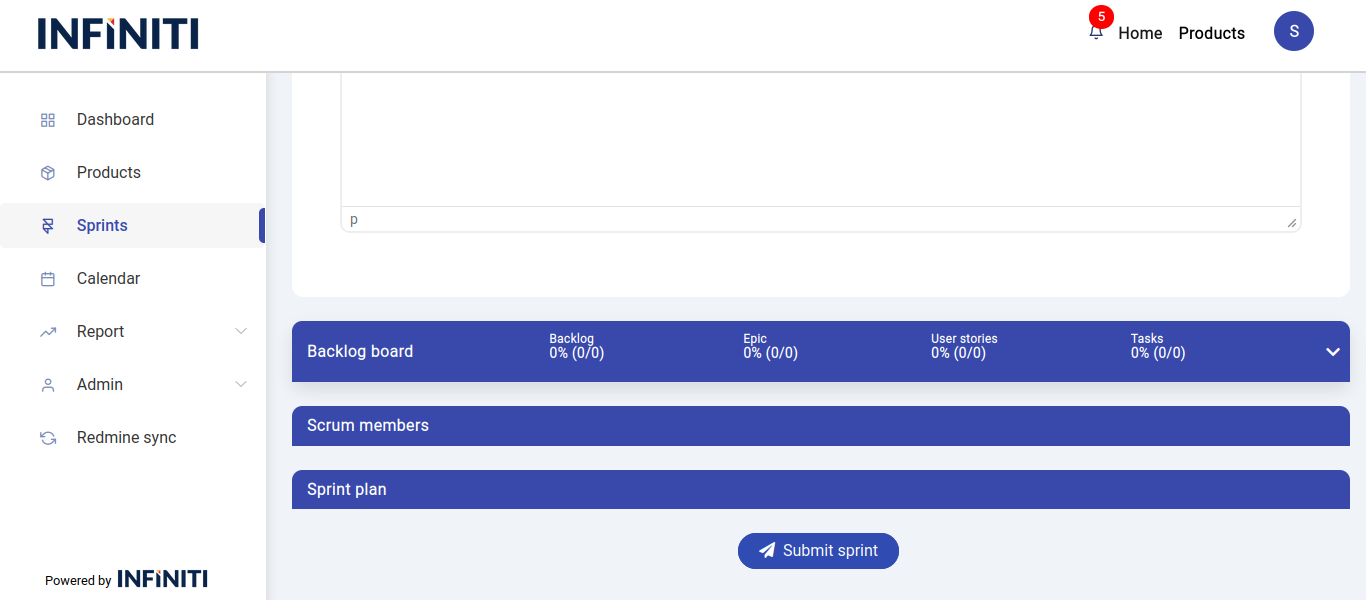
iv. Backlog board accordion
- Select sprint task button: Appears when the Backlog Board accordion is clicked.
- Task selection criteria:
- Task status: Must be ‘New’ or ‘On hold.’
- User story status: Must be ‘Ready for Sprint’ or ‘In Sprint.’
- Backlog status: Must be ‘Ready for Sprint,’ ‘In Sprint – Partial,’ or ‘In Sprint.’
- Mandatory task selection: At least one task must be selected to create the sprint.
v. Scrum members accordion
- Select scrum members: Available after clicking the Scrum Members accordion.
- Optional: Specifying sprint members is not mandatory at the time of sprint creation; details can be added later.
- Default member: If no scrum members are selected, the sprint is created with one default member: the user who created the sprint.
vi. Sprint planning accordion
- Plan drop-down list: Displays when the Sprint Planning accordion is clicked.
- Available options:
- Requirement gathering
- User story creation
- User story brainstorming
- Development
- Bug fixing
- Testing
- Security testing
- Code review
- Code integration
- Deployment UAT
- Deployment live
- Sprint review
- Sprint retrospective
- Details entry: Select any one option and specify the start date, end date and comments (optional) for that planning phase.
- Available options:
- Optional: Specifying sprint plan is not mandatory at the time of sprint creation; details can be added later.
- Plan drop-down list: Displays when the Sprint Planning accordion is clicked.
vii. Post-creation actions
- Sprint history: Once a sprint is successfully created, it will be added to the sprint history.
- Email notification: An email notification is sent to all sprint members upon sprint creation.