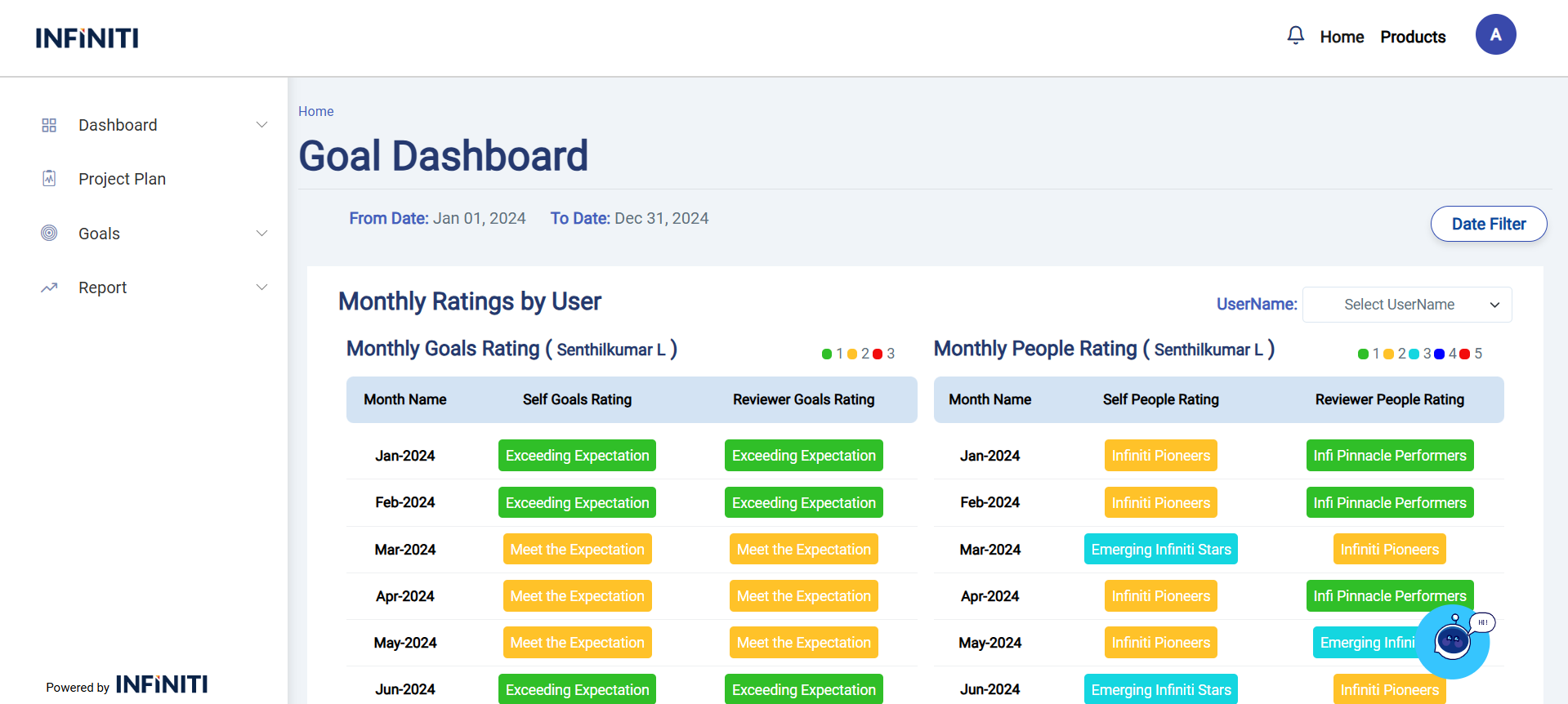
The Goal dashboard page shows the overall Goals details for the user who’s comes under the Reviewer. This page displays active Goals, along with Assigned goals, In Review Goals, Review Completed Goals. Goals with their completion percentage.
Date Filter functionality:
Users can utilize the Date filter to find the range of Goals between the Date range.
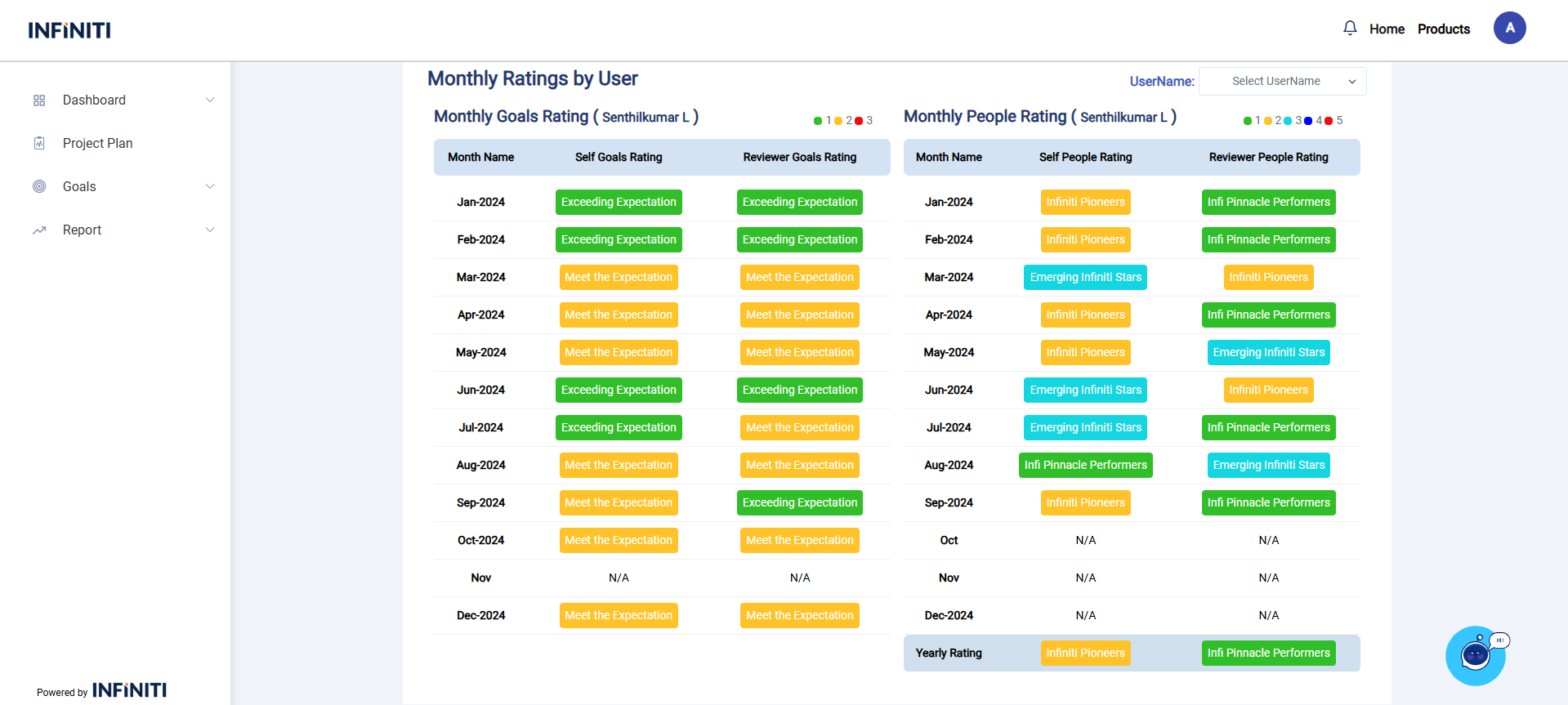
Monthly Ratings By User:
Reviewer can utilize the Users Monthly Goals Rating and Monthly People Ratings by using User Name Dropdown .
The Dropdown displays the employees name who’s comes under the Reviewer.
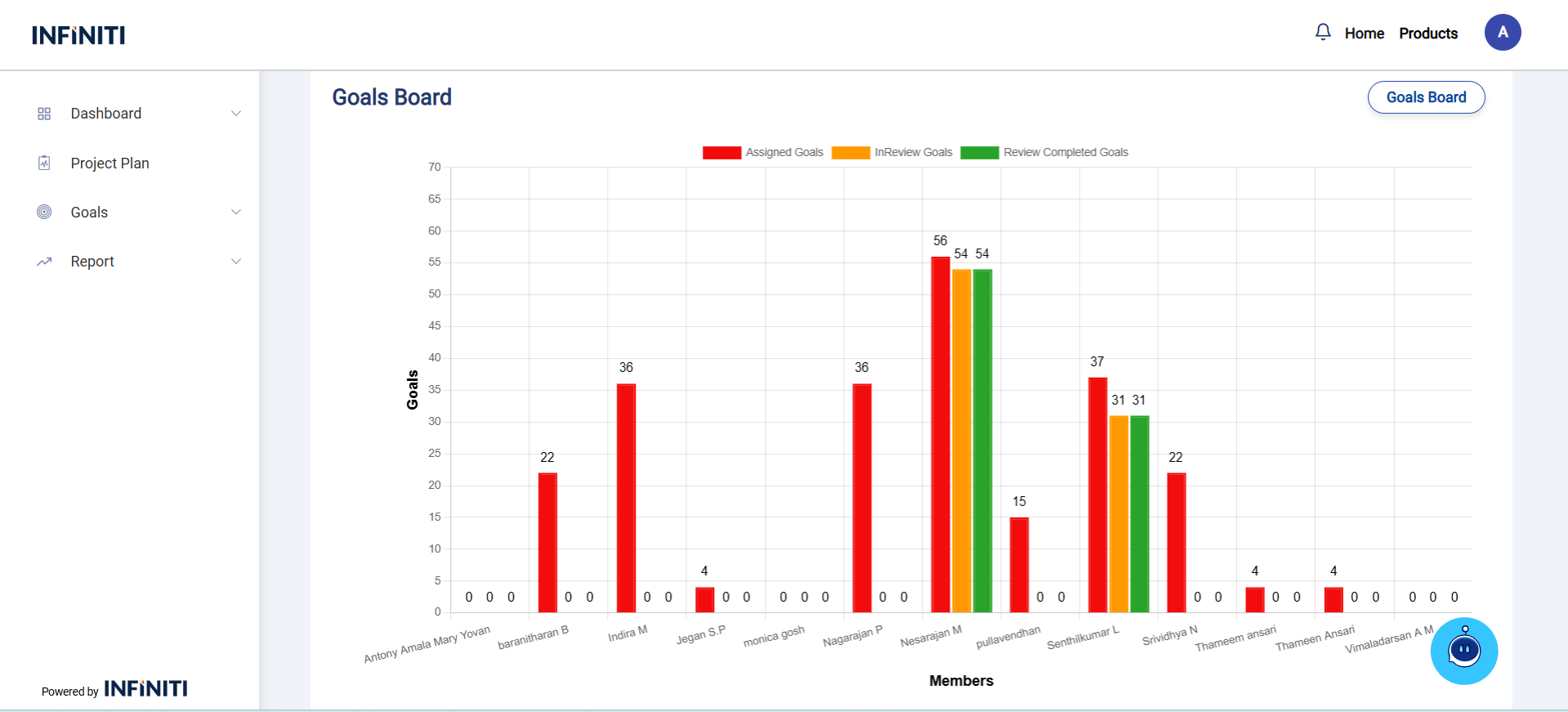
Goals Board:
Displays the employees Assigned Goals, In Review Goals, Review Completed Goals in the bar chart view who are comes under the Manager.
Functionality:
i. Goals Board Button:
“Goals Board Button” used to redirect to the Goals Board page for give your Goals Rating and People Rating to the user.
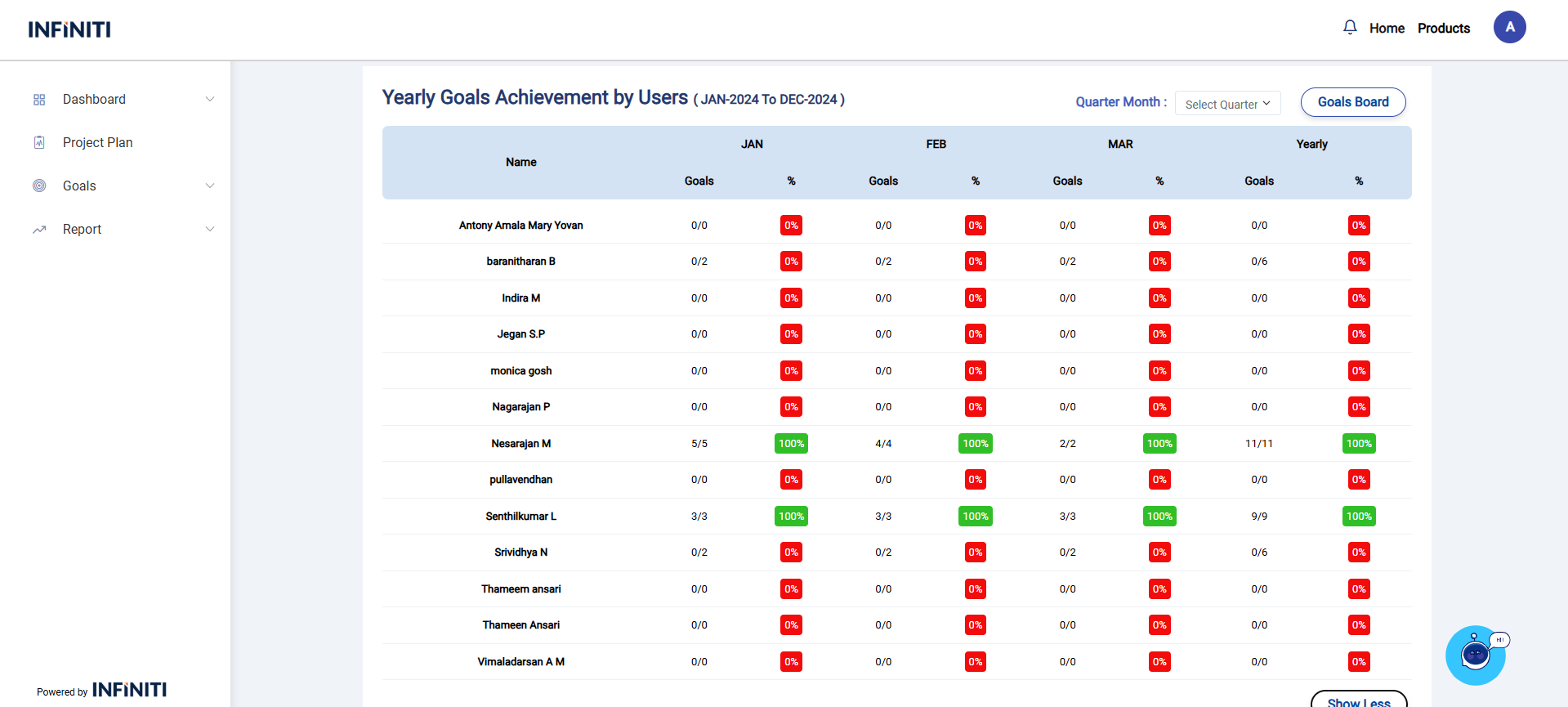
Yearly Goals Achievement by Users:
Displays the employees quarter wise details who’s comes under the manager.
Functionality:
i. Quarter Filter:
you can filter the records by quarterly using Quarter Filter.
ii. Goals Board Button
“Goals Board Button” used to redirect to the Goals Board page for give your Goals Rating and People Rating to the user.
iii. Show More:
“Show More” button used to expand the rows in the table.