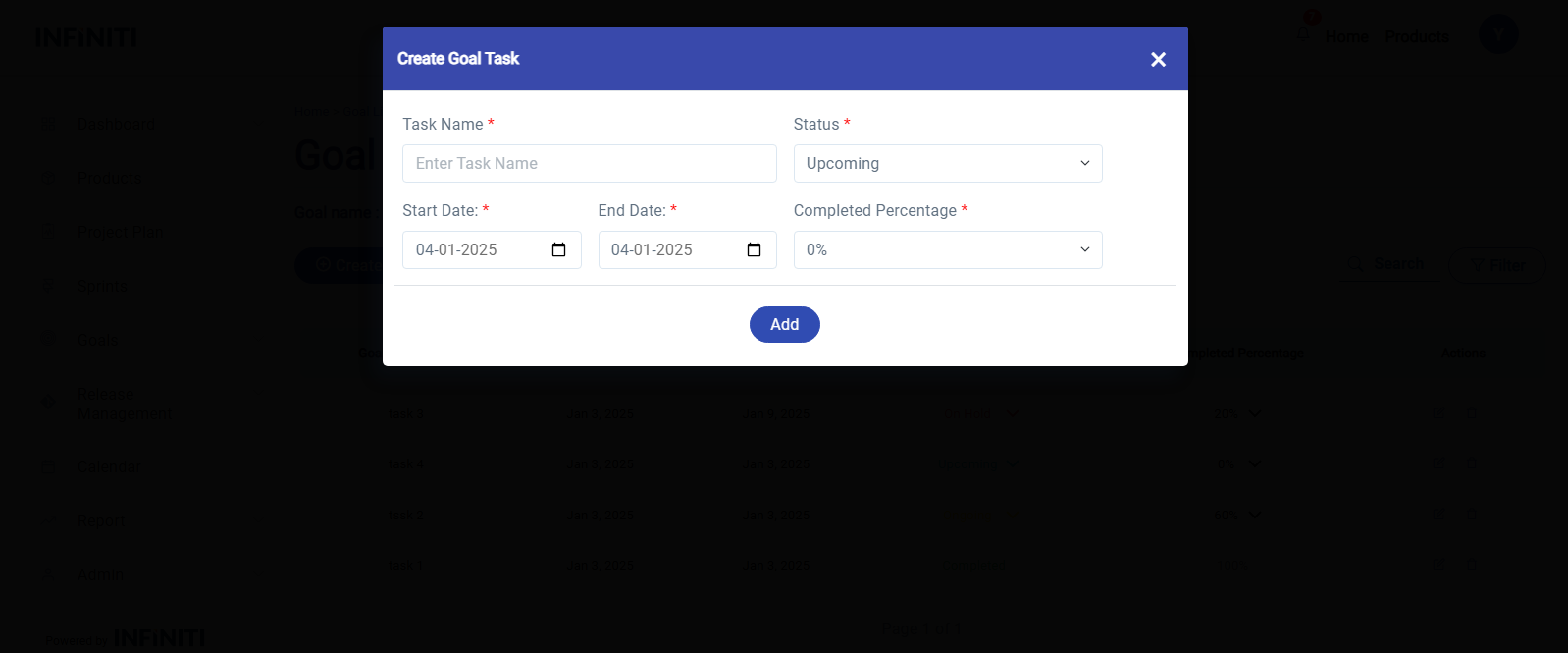
By clicking the Create Goal Task button the Create Goal Task form will be displayed.
Input Fields
- 1. Task Name
- 1. Validation:
- Length: Must be between 3 to 256 characters.
- Must not contain empty spaces (leading, trailing, or consecutive spaces).
- 2. Error Handling: Show a validation error message if the input doesn’t meet these requirements.
- 1. Validation:
2. Status
- 1. Values:
- Upcoming (default).
- Ongoing.
- 1. Values:
3. Start Date
- 1. Field Type: Date Picker.
- 2. Default Value: Pre-filled with the Goal Start Date.
- 3. Validation:
- Must be within the range of the Goal’s Start Date and End Date.
- Cannot be left empty.
4. End Date
- 1. Default Value: Pre-filled with the Goal End Date.
- 2. Validation:
- Must be within the range of the Goal’s Start Date and End Date.
- Must not be earlier than the Start Date.
- Cannot be left empty.
5. Completed Percentage
- 1. Default Value:
0%.
- 1. Default Value:
Functionality :
i. Buttons and Visibility
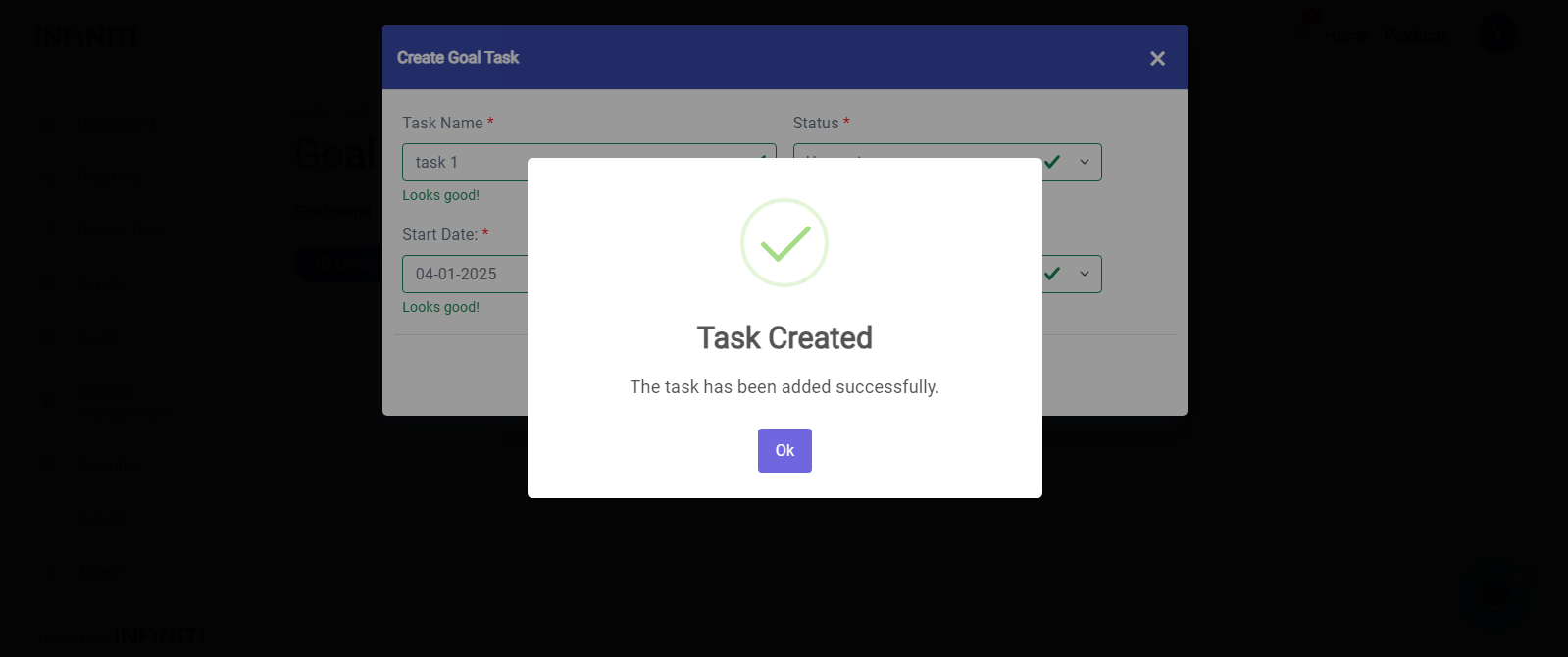
- Add – Validates all fields and, upon success:
Displays a success popup and Refreshes the task list to display the new task.