
- The View Goal modal popup allows you to view all details of Goal without making any changes.
- By clicking the ‘View’ icon on the goals list page, the View Goal modal popup will be displayed.
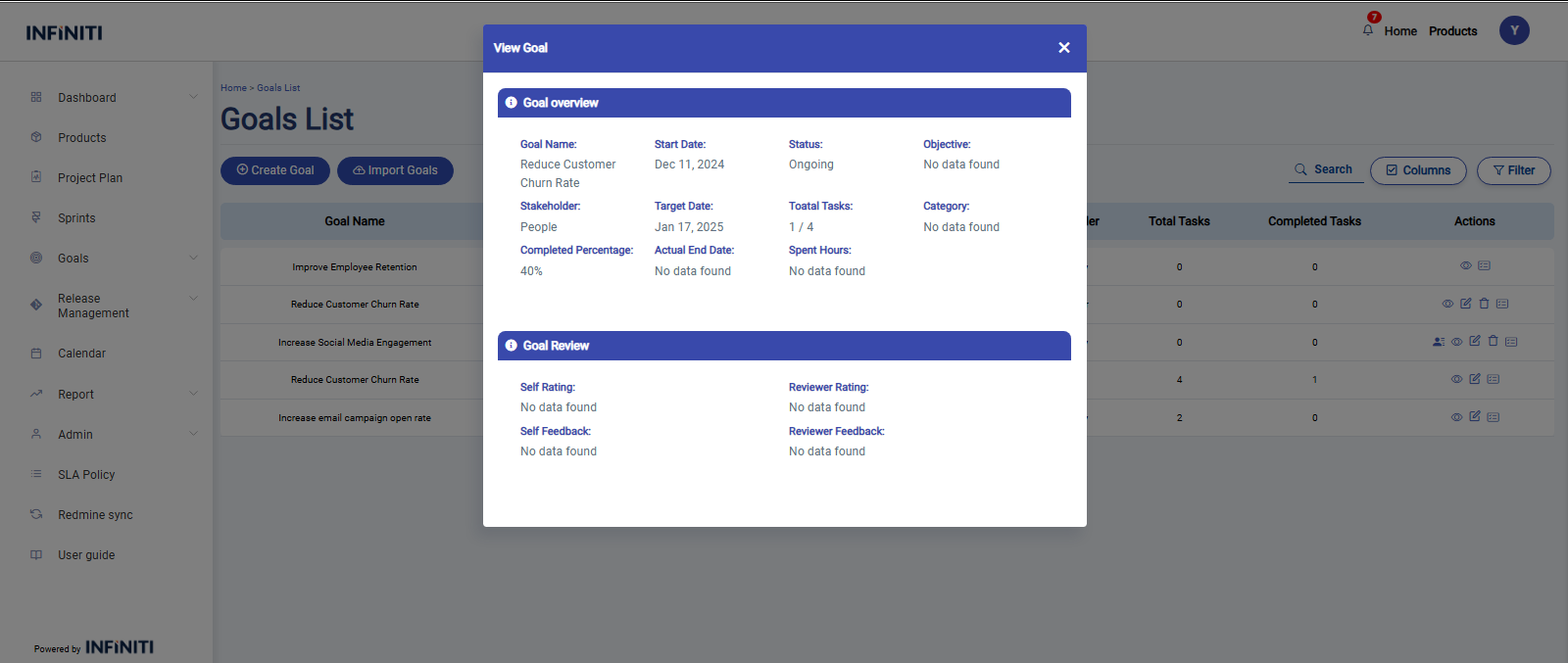
- In the View Goal modal popup, there are two main sections:
i. Goal Overview
- This section provides a summary of the goal’s key details such as Goal Name, Start Date, Target Date, Status, Completion Percentage, Stakeholder, Objective, Category, Spent hours, Actual end date and Total tasks.
- If any field has no data, a “No Data Found” message will be displayed in that field.
ii. Goal Review
- This section contains reviews and feedback on the goal, including Employee Feedback, Manager Feedback, Employee Rating, and Manager Rating.
- If any review-related fields have no data, the “No Data Found” message will appear accordingly.