
- By clicking the “Add Task” button the below “add task” form will display.
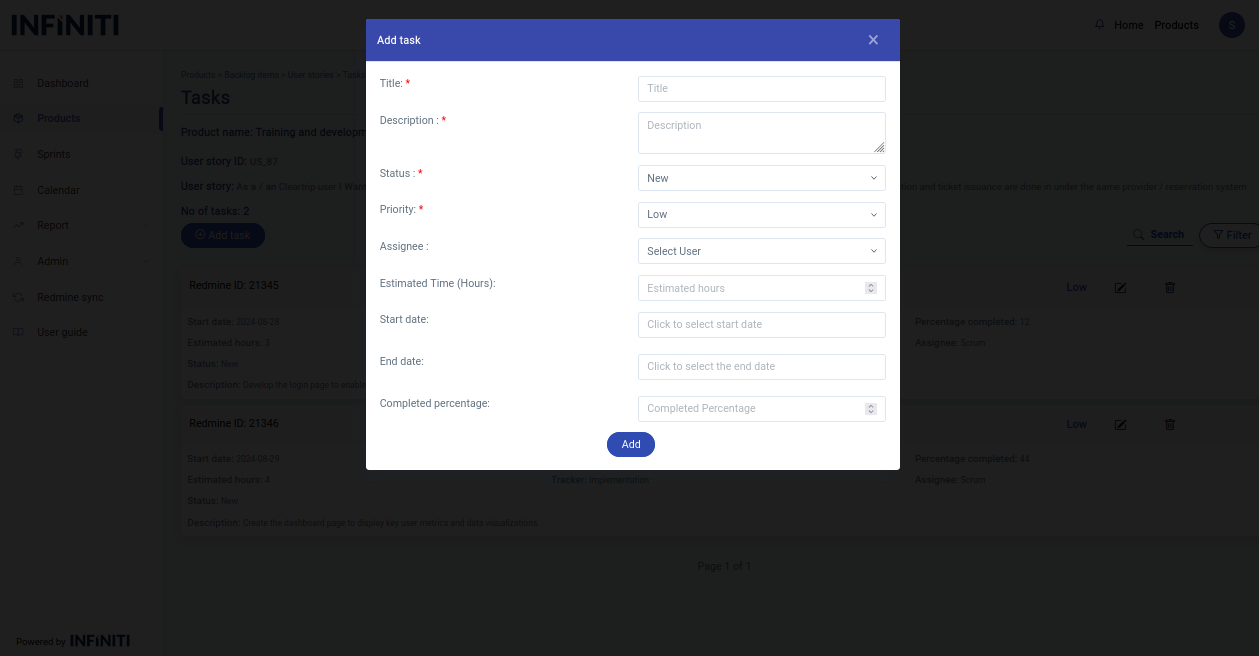
- By default the status will be New and the priority will be Low.
Functionality :
i. Button Activation
- Add Task button: Only authorized users can access “Add user story” button.
ii. Mandatory Fields
- Title
- Description
- Priority
- Status
iii. Field Specifications
- Title : User-defined field for entering the As a/an.
- Description : User-defined field for entering the As a/an.
- Priority : Drop-down list to select the epic of the user story..
- Status : Drop-down list to select the epic of the user story..
- Assignee : Drop-down list to select the epic of the user story..
- Estimated hours : User-defined field for entering the Estimated hours to complete the task.
- Start date : User-defined field for entering the start date when they begin working on the task.
- End date : User-defined field for entering the end date when they finish working on the task.
- Completed percentage : User-defined field for entering the completed percentage to know the completed percentage of the task.