
- Implement specific feature or function to achieve desired outcome or benefit. Ensure key criteria or standards are met for successful completion.
By clicking the ‘Task’ in a user story card button the task page will be displayed.This page contains all the tasks created for a user story.
When there is no task for a user story “No task found” message will be displayed.
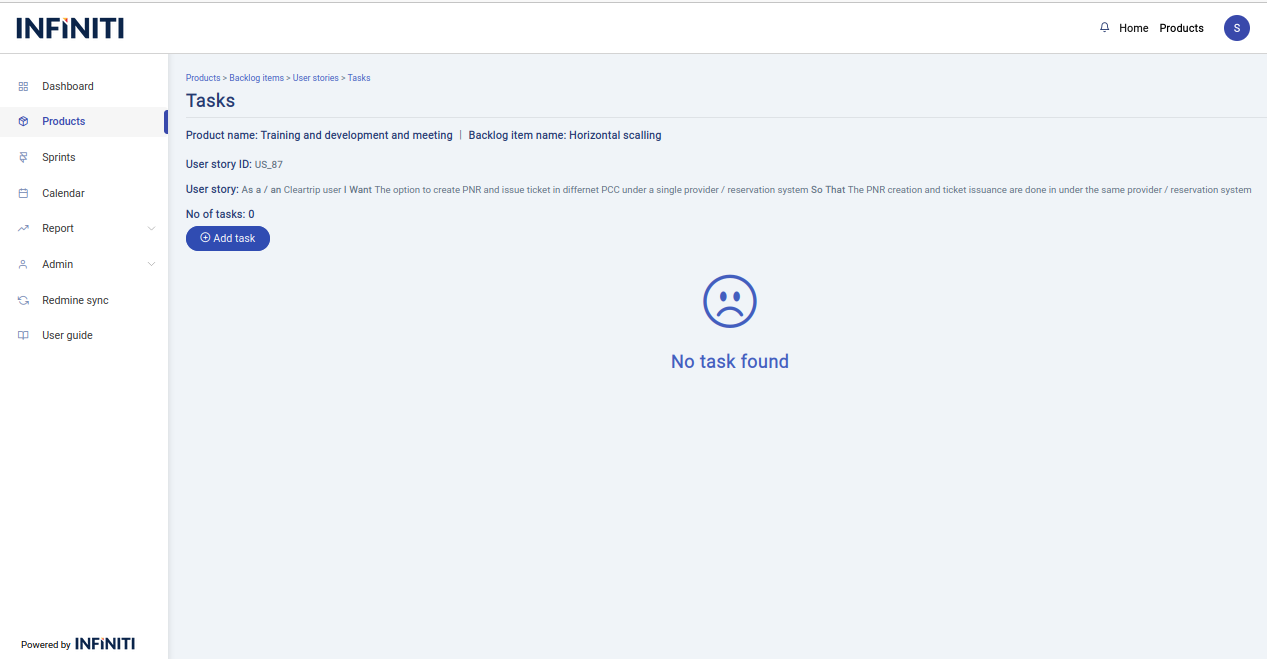
- When there is a task inside that particular user story the below page will display.
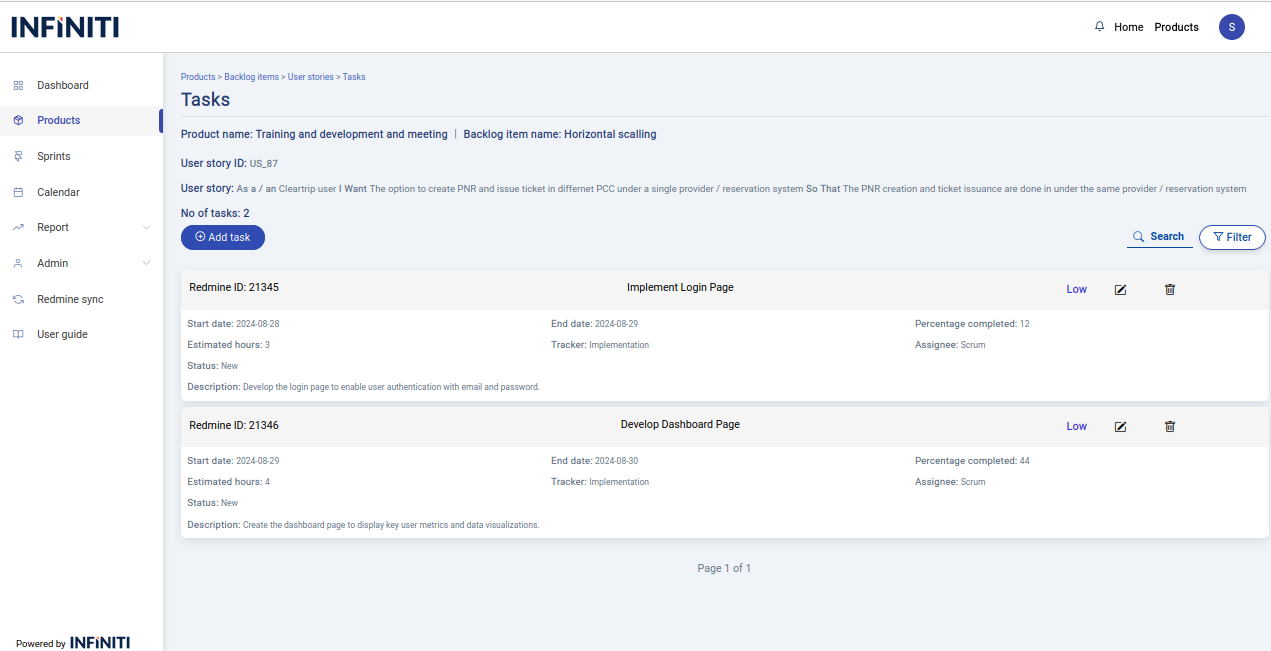
- Each task card contains a single task that contains the following details
- Red mine id
- Task name
- Status
- Start date
- End date
- Percentage completed
- Estimated hours
- Trackers
- Assignee
- Description
- when a task is created in the scrum tool we can able to see the task from the redmine itself
- Each task card contains a single task that contains the following details
Functionality :
i. Buttons and Visibility
- Add Task : Visible only to authorized users.
- Task View : Available to all users.
- Edit Task : Visible only to authorized users.
- Delete Task : Visible only to authorized users.
ii. Page Features
- Search – The search function allows users to find task by task title.
- Filter – Allows users to filter backlog items based on priority and status.