
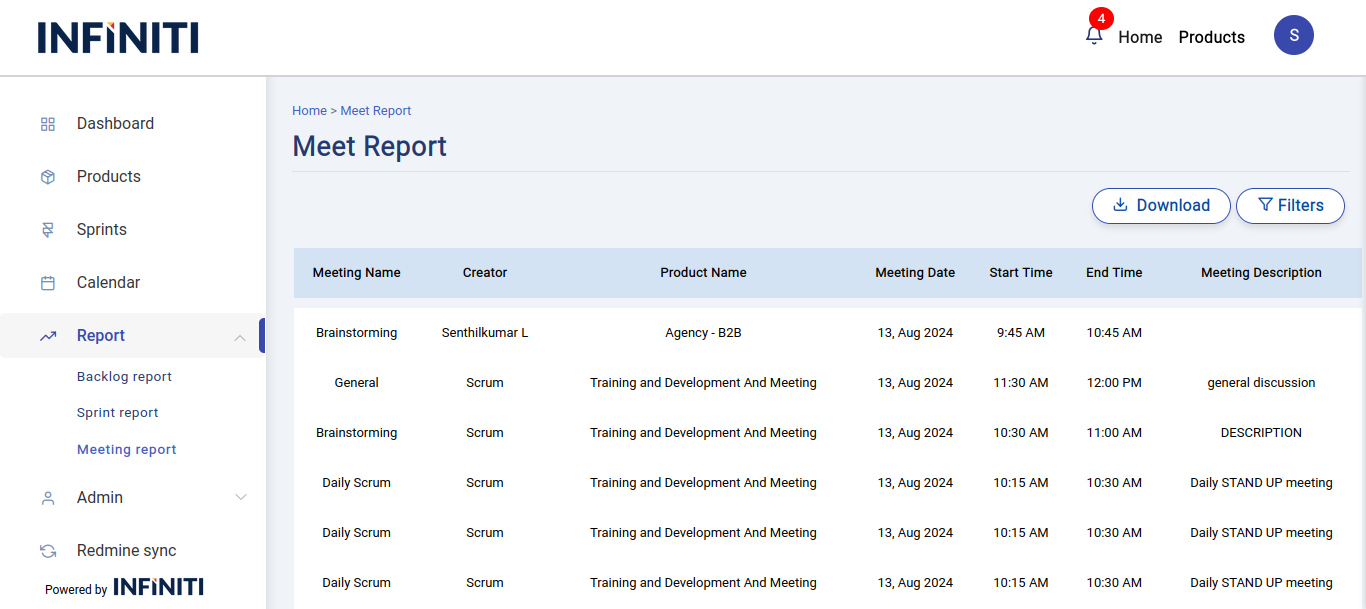
The meeting report displays meeting details specific to the user’s products, offering comprehensive information about each meeting. It includes a filter option to refine the meeting details and pagination to navigate through the records, showing 10 entries per page.
Functionality:
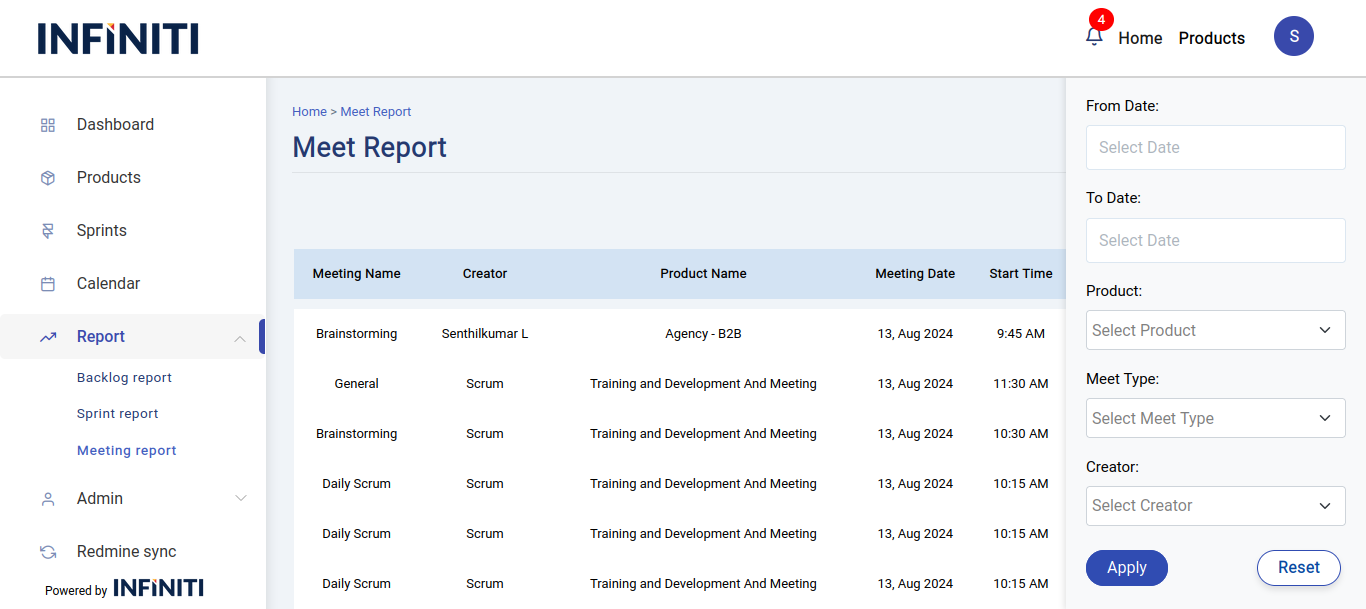
i. Filter options:
- From date:
- Allows the user to filter meetings starting from a specific date.
- To date:
- Enables filtering to include meetings up to a particular date.
- Product filter:
- Refines the meeting details based on the selected products.
- Meeting type:
- Filters meetings by their type (e.g., Review, Retrospective).
- Creator:
- Narrows down the meetings based on the person who created them.
- From date:
ii. Pagination:
- The report shows 10 entries per page, with navigation controls to move between pages, making it easier to manage and view multiple meetings.
- Next and Prev buttons are used for page navigation in the reports. The Prev button is displayed only when a previous page is available, and the Next button is displayed only when a next page is available.
iii. Apply filter:
- When the user clicks the “Apply” button, the report updates to display only the meetings that match the selected filter criteria.
iv. Reset filter:
- The “Reset” button clears all the applied filters, restoring the report to show all meetings. The form fields are also reset to their default values, removing any previously selected filter options.
iv. Download report:
- If the user clicks the download button, the report will be downloaded in Excel format with all the data.