
Description
- Backlog items are tasks or features that need to be completed for a project. They are listed in the backlog items and include things like new features, bug fixes, and improvements. Backlog items help the team organize and prioritize work.
Backlog items list page
- The backlog items page displays the list of backlog items associated with the corresponding product.
- The single product contains multiple backlog items.
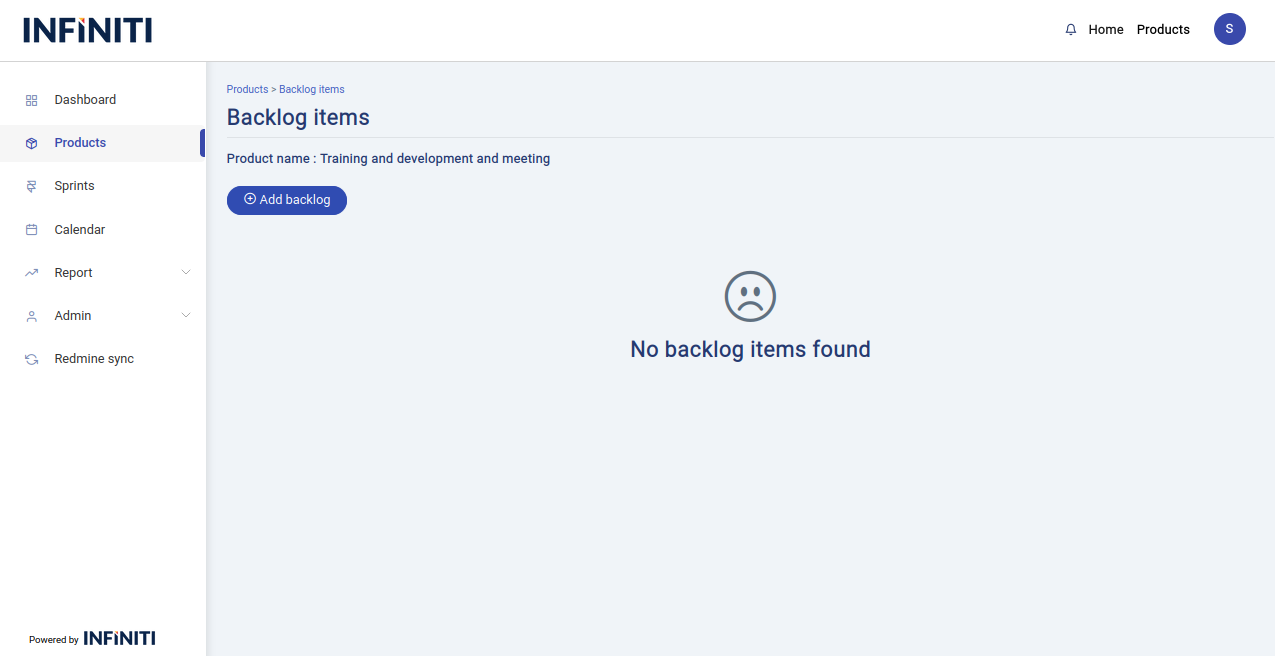
- When there is no backlog for a particular product “No backlog item found” message will be display.
- When there is a backlog items for the particular product the below page will display.
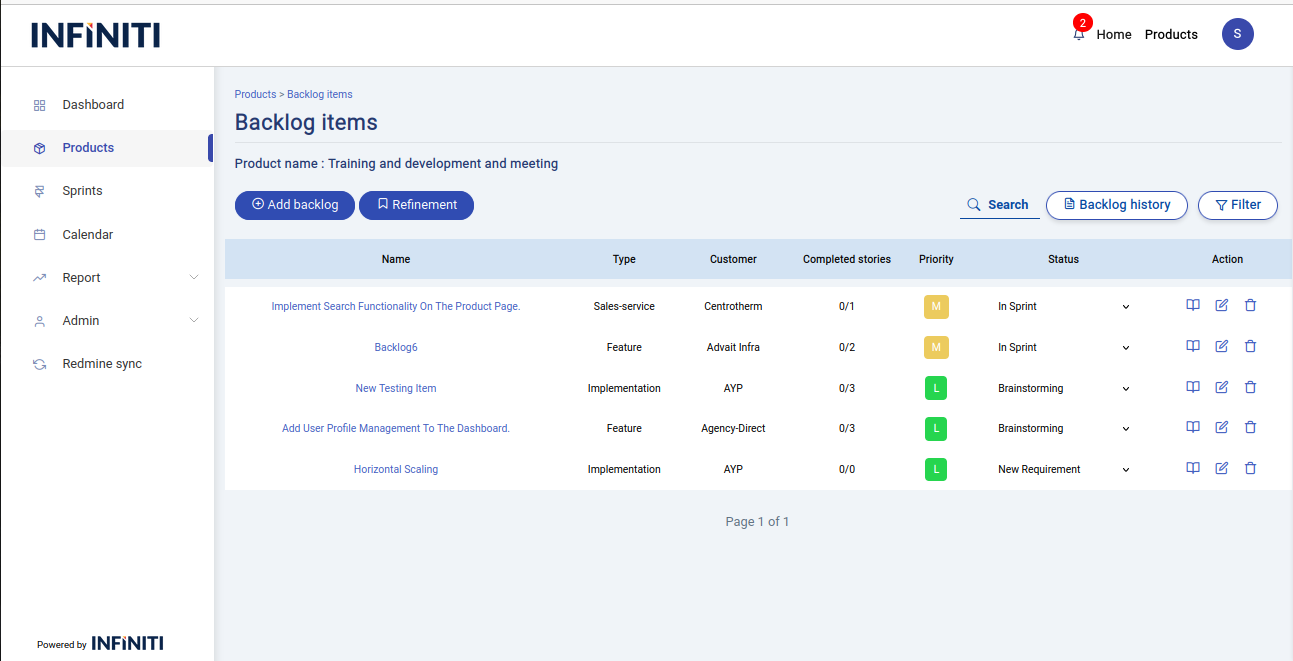
- The above page have the backlog item table and that table contains the following columns
- Name – Name of the backlog item
- Type – The backlog item type
- Customer – Customer of the backlog item
- Completed stories – No.of completed stories out of total stories
- Priority – Priority of the backlog item
- Status – Status of the backlog item
- If a backlog item has the status ‘In Sprint’ and ‘In sprint-partial’, it will be displayed at the top of the table
- ‘In Sprint’ status represents that all the user stories inside a backlog item is in sprint process.
- ‘In Sprint-Partial’ represents that the not all the user stories taken for a sprint but partial amount of user stories are taken in a sprint.
Functionality :
i. Buttons and Visibility
- Add Backlog – Visible only to authorized users.
- Refinement – Visible only to authorized users.
- Backlog history – Available to all users.
- user story view – Available to all users
- Edit backlog – Visible only to authorized users.
- Delete backlog – Visible only to authorized users.
ii. Page Features
- Search – The search function allows users to find Backlog item by their names.
- Filter – Allows users to filter backlog items based on backlog item type , customer name , priority and status.