
The sprint planning can be opened by clicking the ‘Sprint Plan’ button in the Sprint view page.
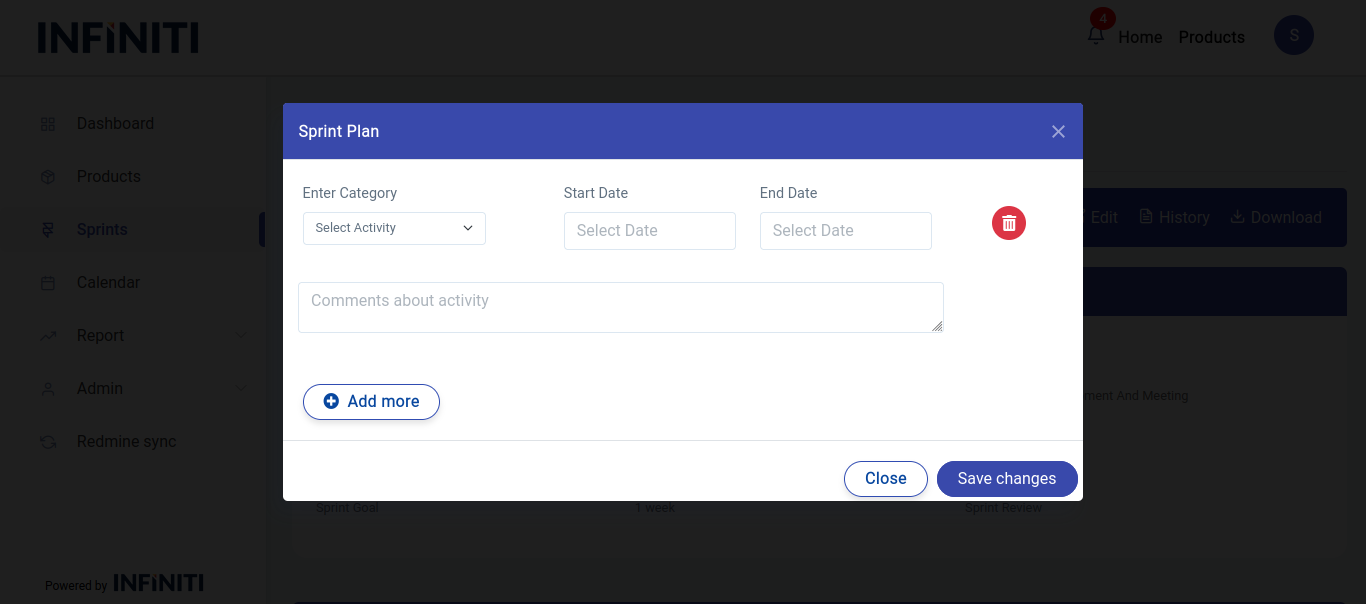
Functionality:
i. Accessing sprint planning
- Sprint planning accordion: Click sprint plan button to open sprint plan modal.
ii. Adding sprint planning details
- Authorized users: Only users with the appropriate permissions can add sprint planning details.
- Details to enter:
- Planned activity: Specify the activity that will take place during the sprint.
- Start date: Enter the date when the activity will commence.
- End date: Enter the date when the activity is expected to conclude.
- Comments (Optional): Provide any additional notes or context relevant to the activity
- Sprint planning overview: After details are added, they are visible in the sprint planning section, allowing for ongoing management and tracking.