
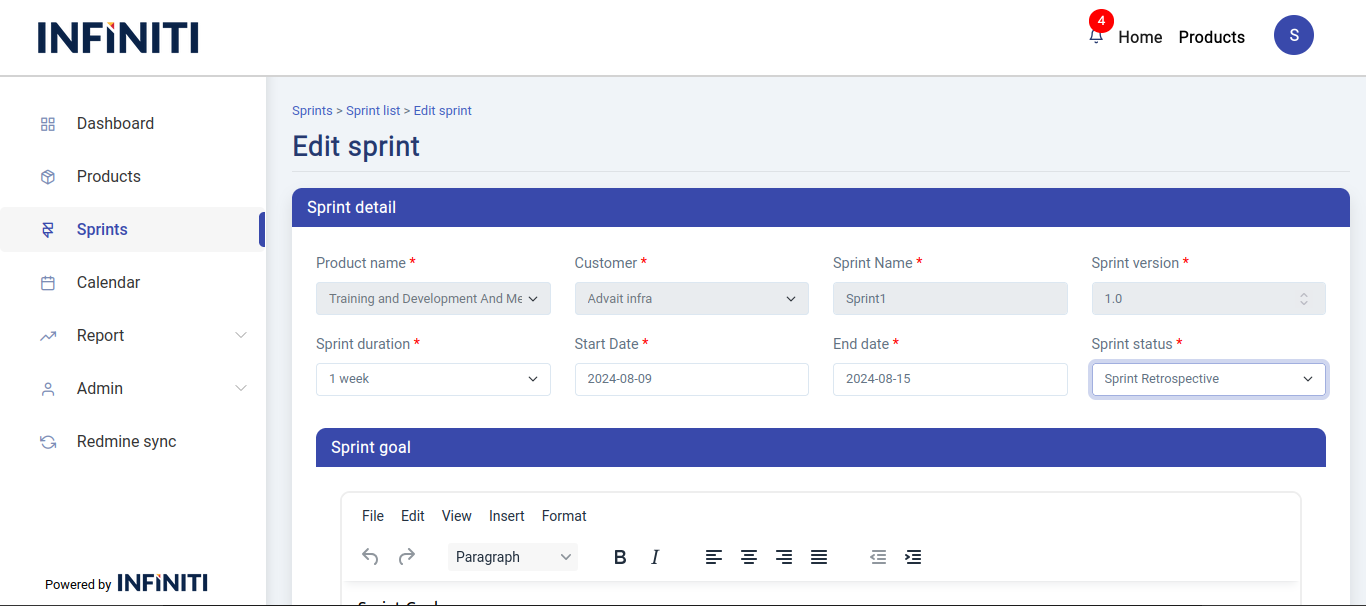
Edit sprint page is to edit the details of the sprint. In the sprint list page after clicking on the edit icon edit sprint page will be displayed.
Functionality:
i. Accessing the edit sprint page
-
- Edit button: Accessible from the Sprint View page by users authorized to edit the sprint. Clicking this button redirects to the Edit sprint page.
ii. Edit sprint page details
-
- Existing data displayed:
- Sprint details: Current details of the sprint are shown for review and editing.
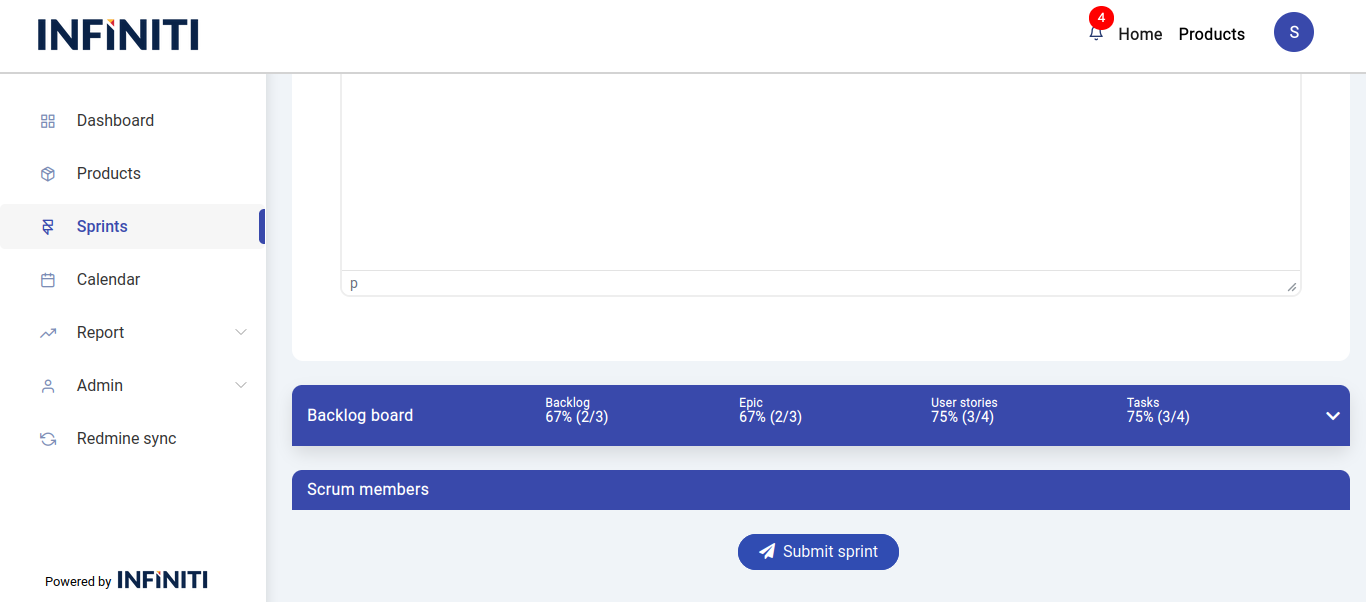
- Tasks: Lists tasks associated with the sprint, allowing users to add or remove tasks as needed.
- Members: Shows current sprint members, with options to add or remove members.
- Status change: Users can change the status of the sprint based on its current phase or requirements.
- Existing data displayed:
iii. Form submission
-
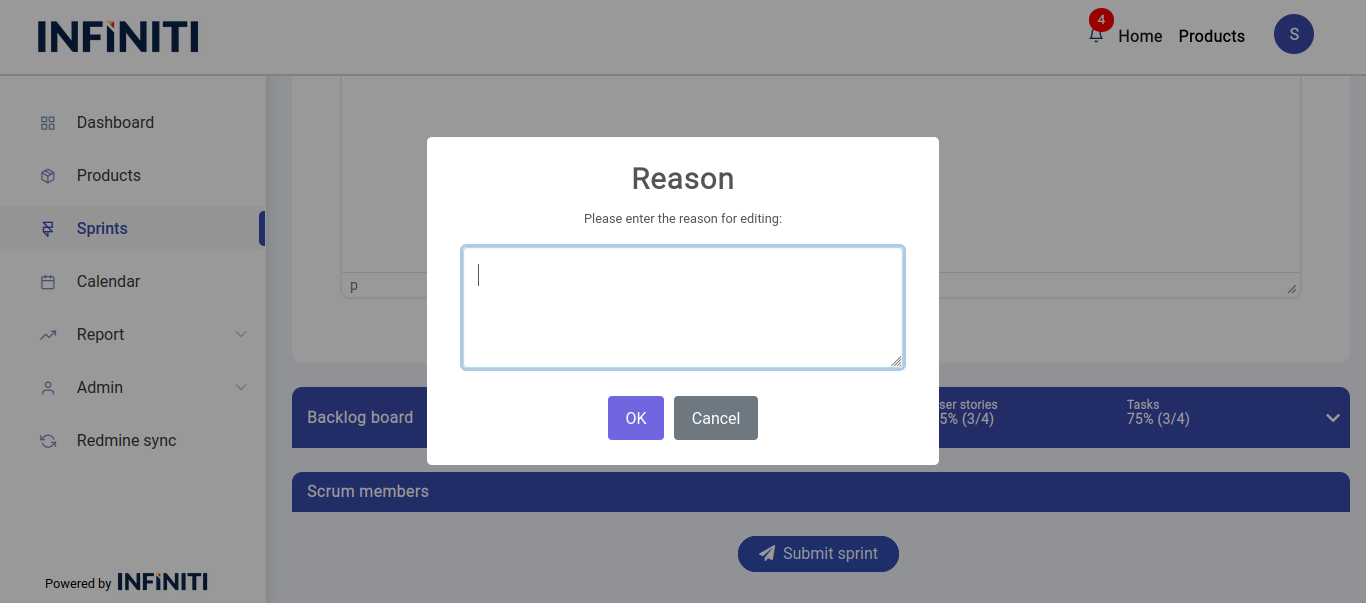
- Reason for editing: Users must provide a reason for the changes made during the edit process.
- Viewing reasons: The reason for editing is recorded and can be viewed in the sprint history.
iv. Post-submission
-
- Updated information: Changes to the sprint details, tasks, and members are updated in the system.
- Reason visibility: The reason for editing will be available in the sprint history for future reference.