
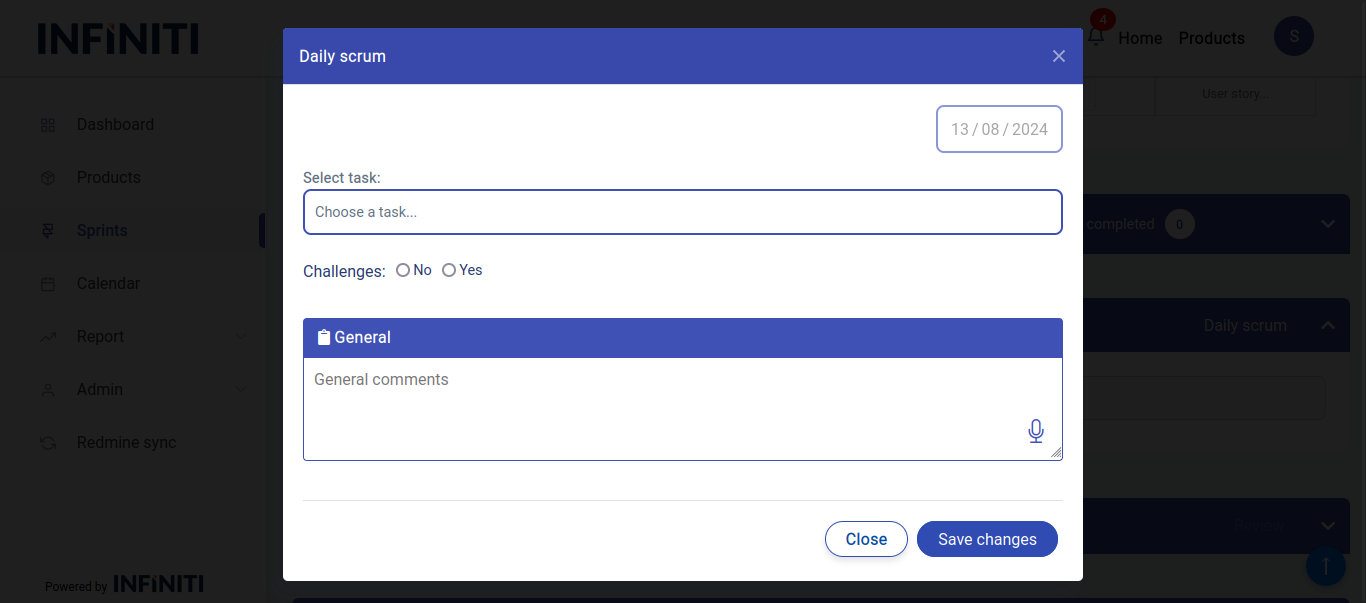
The Daily scrum page is used to insert daily status of a task in the sprint, by clicking the ‘Daily Scrum’ button the below modal can be opened.
Functionality:
i. Accessing the daily scrum modal
-
-
- Daily scrum button: Clicking daily scrum button in the sprint view page, will open a modal where daily scrum details can be added, only authorized users have access.
-
ii. Modal details
-
- Date: Automatically set to the current date and cannot be changed.
- Challenge details:
- Challenge marked as ‘N’: Users can provide comments about the tasks.
- Challenge marked as ‘Y’: Users must specify the challenge related to the task.
iii. Post-submission
-
- Viewing: Once the daily scrum details are successfully added, they will be visible in the sprint history and sprint view page.