
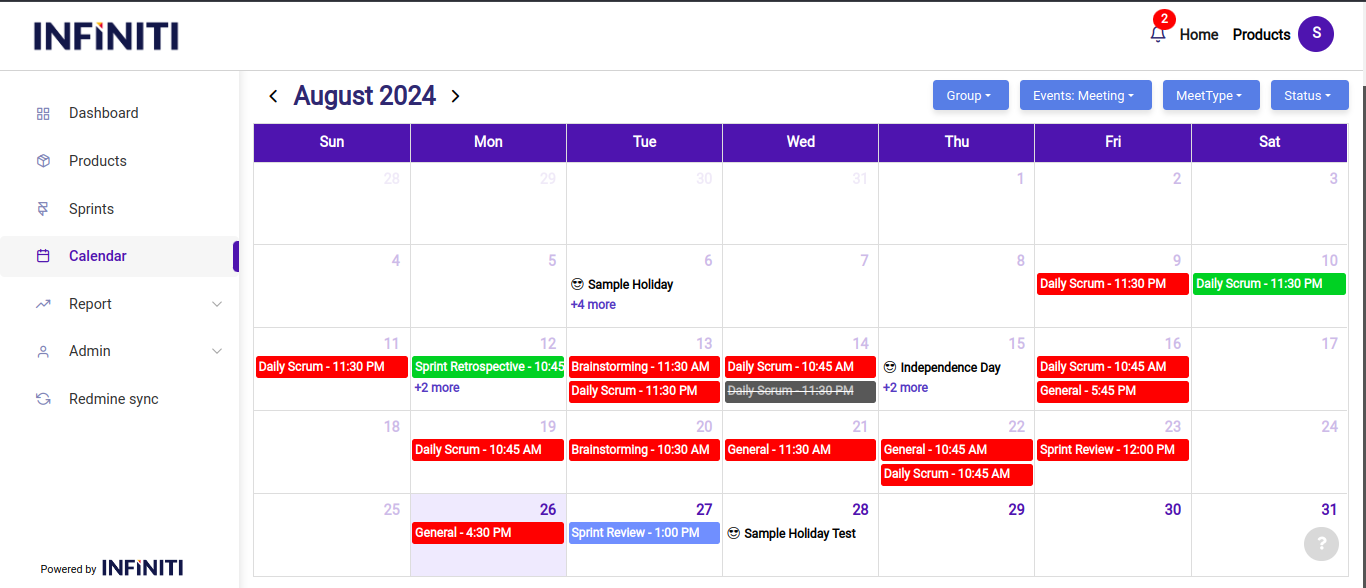
The calendar is designed to display meeting schedules and sprint timelines. Users can schedule meetings by clicking on any date in the calendar.
Functionality:
i.Usage:
- The calendar is designed to display meeting schedules and sprint timelines.
- Users can schedule meetings by clicking on any date in the calendar.
ii. Meeting scheduling:
- Users can schedule meetings for the current or future dates only; scheduling for past dates is not allowed.
iii. Dropdowns available at the top of the calendar:
- Group dropdown:
- Users can create, edit, and delete groups.
- The groups may be utilized for organizing meetings or sprints within specific teams or departments.
- Events dropdown:
- By default, the dropdown shows the meeting view, but it also includes options for different calendar views:
- Meeting view:
- This view allows users to create and view meeting details.
- Meeting details are displayed based on the user’s involvement; only meetings the user is hosting or attending will be shown.
- This view is particularly useful for logging time in redmine.
- Group dropdown:
-
-
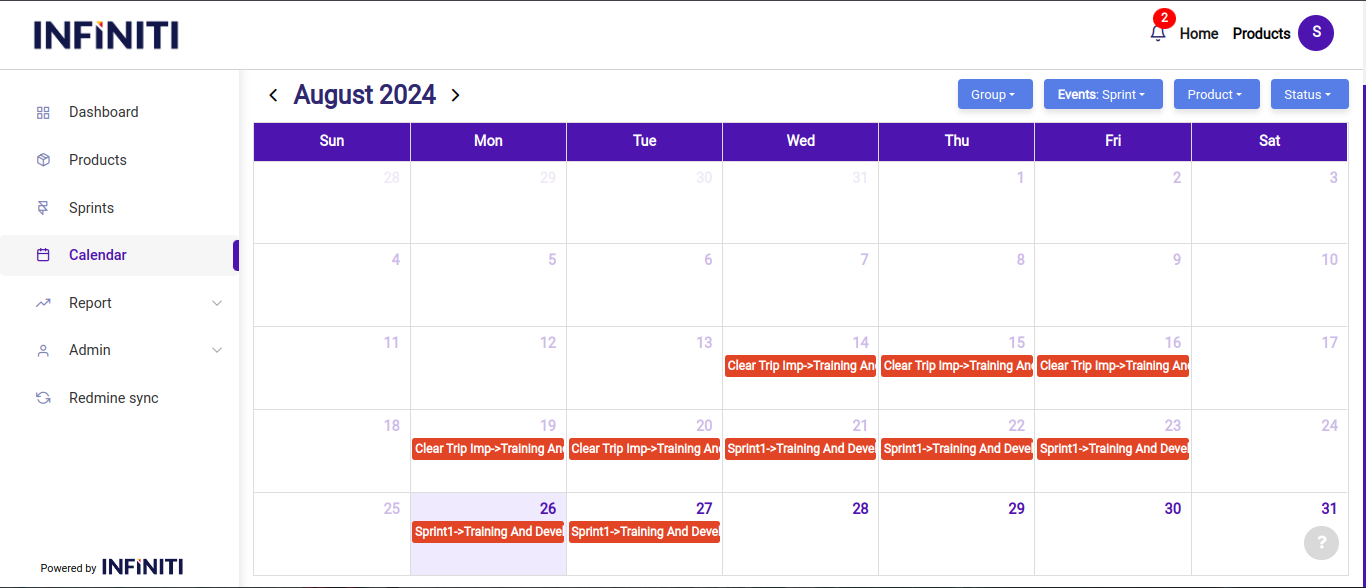
- Sprint view:
- This view displays sprint details, filtered based on the user’s involvement.
- Users can track sprint progress and related events here.
- Sprint view:
- MeetType dropdown:
- This dropdown includes five types of meetings:
- General
- Brainstorming
- Sprint planning
- Sprint review
- Sprint retrospective
- This dropdown includes five types of meetings:
- Product dropdown:
- This dropdown is only visible in the Sprint View.
- It lists products based on the user’s assignments and displays sprint details when a product is selected.
- Status dropdown:
- This dropdown filters events by status: Completed, Upcoming, and Ongoing.
- Users can easily navigate through different phases of meetings and sprints.
-
-
-
- The calendar allows for easy navigation between different views and types of meetings, making it a versatile tool for both sprint management and meeting scheduling.
- It provides a user-centric experience by filtering and displaying information relevant to the user’s role and responsibilities.
-